Pretty Okay-ish SUBATHON






Run a fully automated subathon — subs, bits, donations, gifts, raids and follows add time across Twitch, YouTube & Kick, with live goals, a Power Hour multiplier, a transparent overlay, and a control dock.
Download Pretty Okay-ish SUBATHON
Click the button below to download Pretty Okay-ish SUBATHON! If you find it useful, consider leaving a tip to support development.
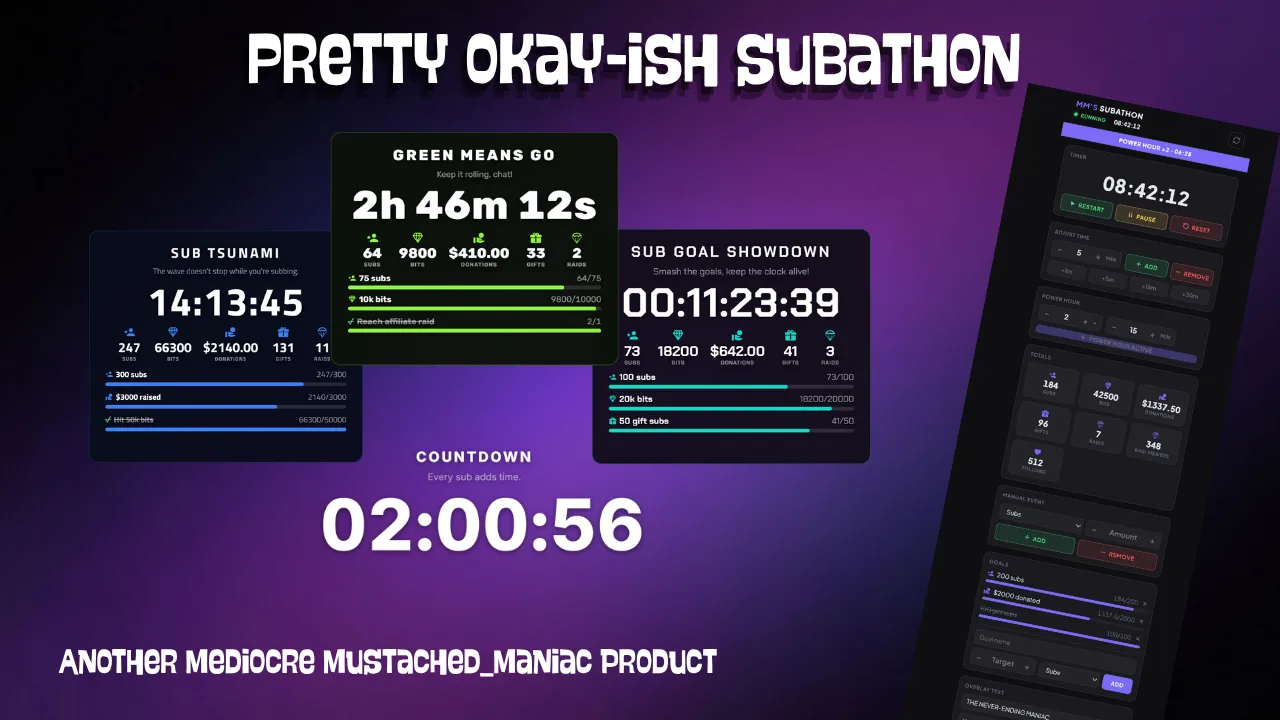
This Streamer.bot extension runs your entire subathon for you. Every sub, bit, donation, gift, raid, and follow automatically adds time to a live countdown — across Twitch, YouTube, and Kick at once. Track goals with animated bars, boost incoming time with a Power Hour multiplier (manually or automatically on a Twitch Hype Train), and control everything from a dock without ever touching Streamer.bot mid-stream. The overlay is fully transparent and skinnable to match any scene.
One browser source, endless looks — every style below is the same overlay
Signature
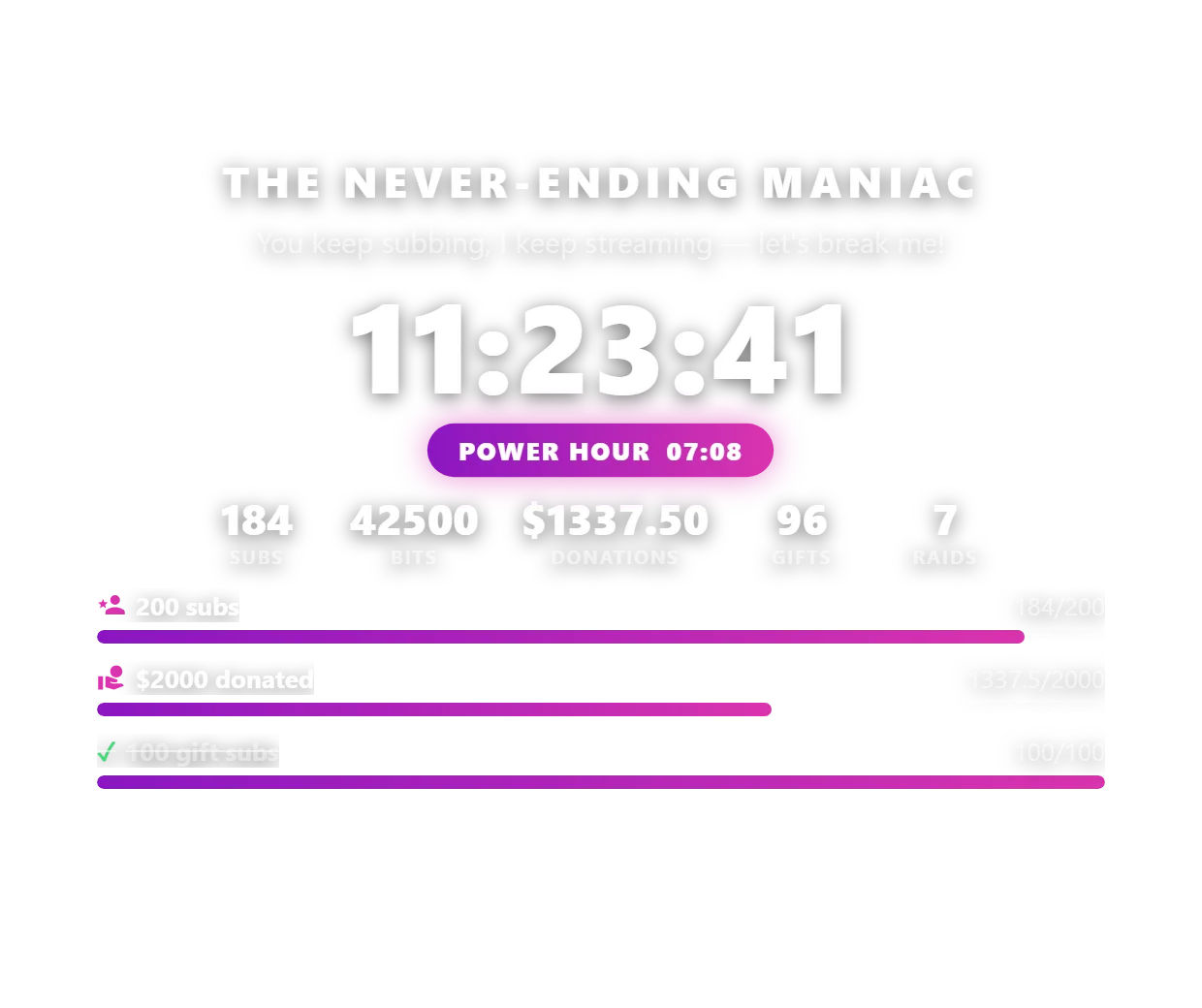
The default look — Plus Jakarta Sans, purple→pink bars, live Power Hour badge.
Skinned Card
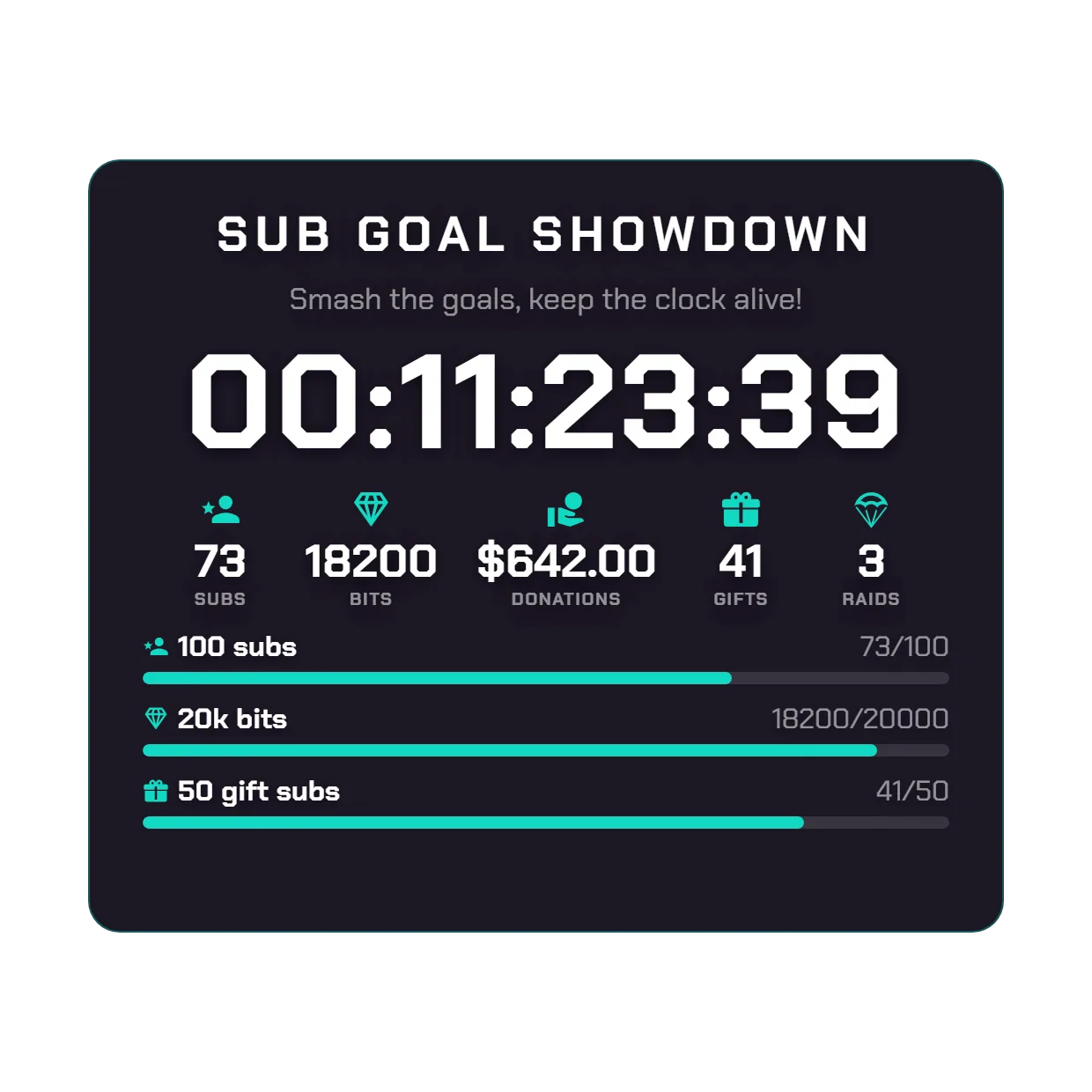
Drop it into a framed card with a background, border, teal accent and icon+label stats.
Neon
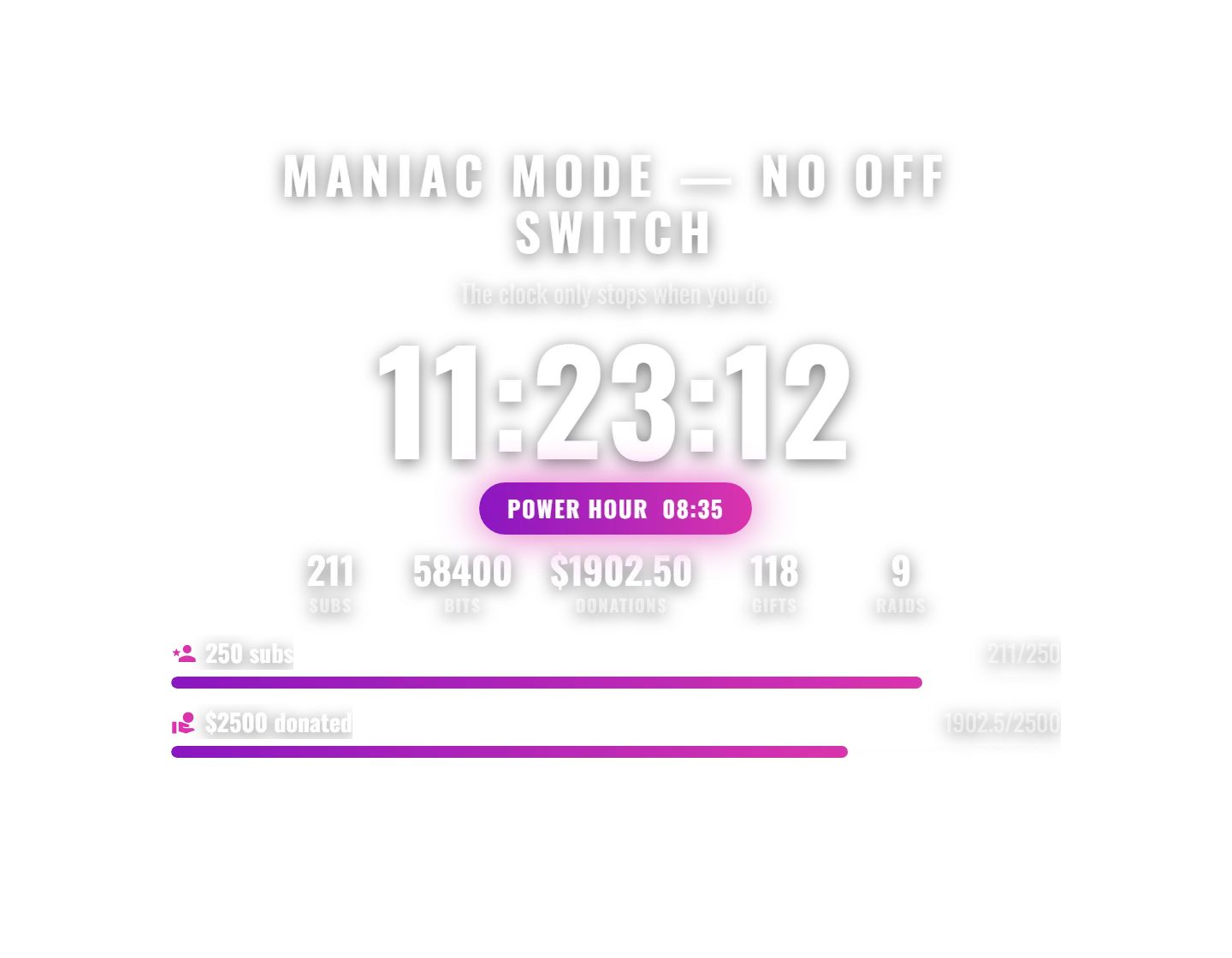
Bold Oswald type over the signature gradient bars.
Lime Card
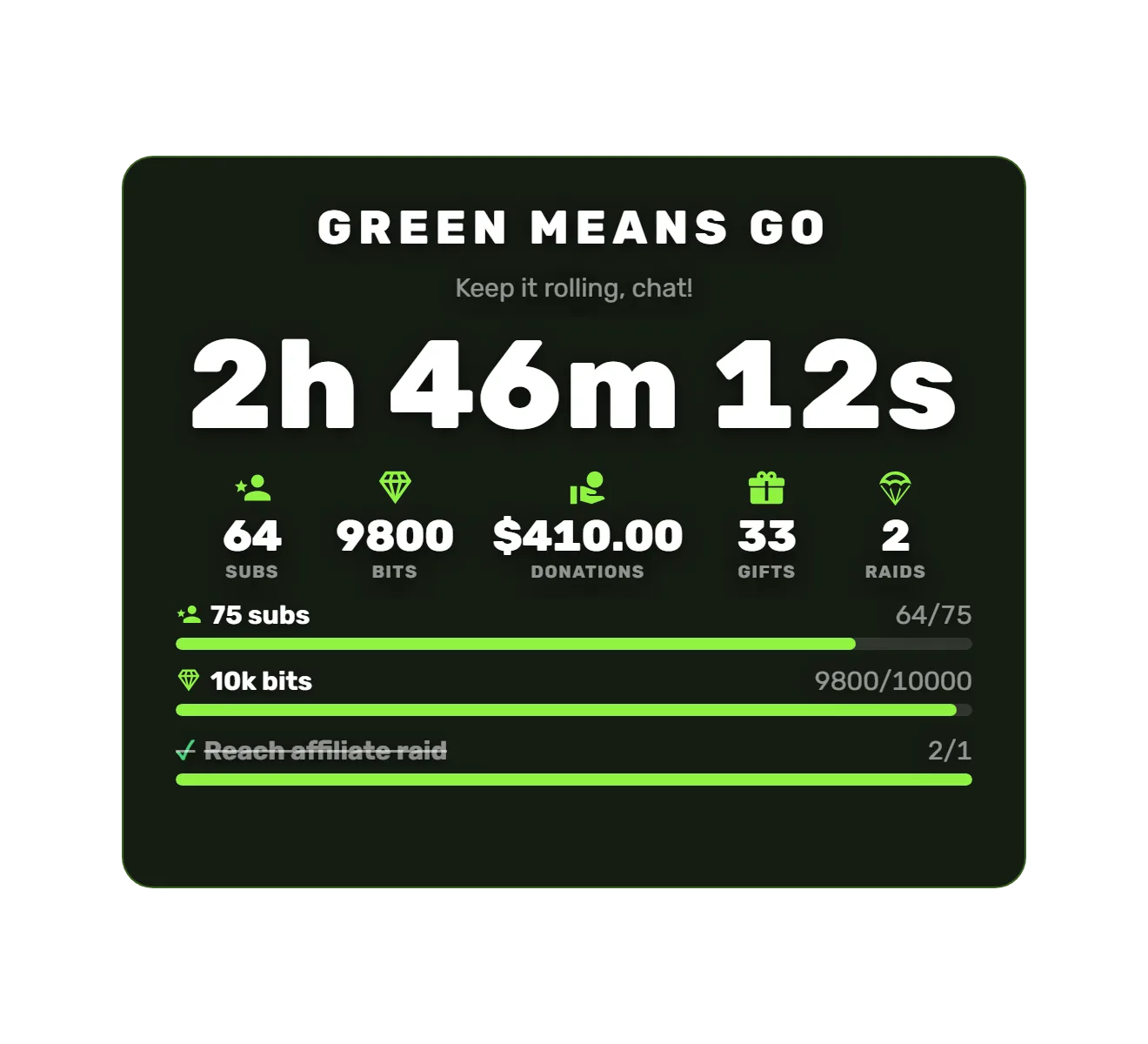
Rubik on a dark card with a compact 2h 46m 12s time format.
Metal
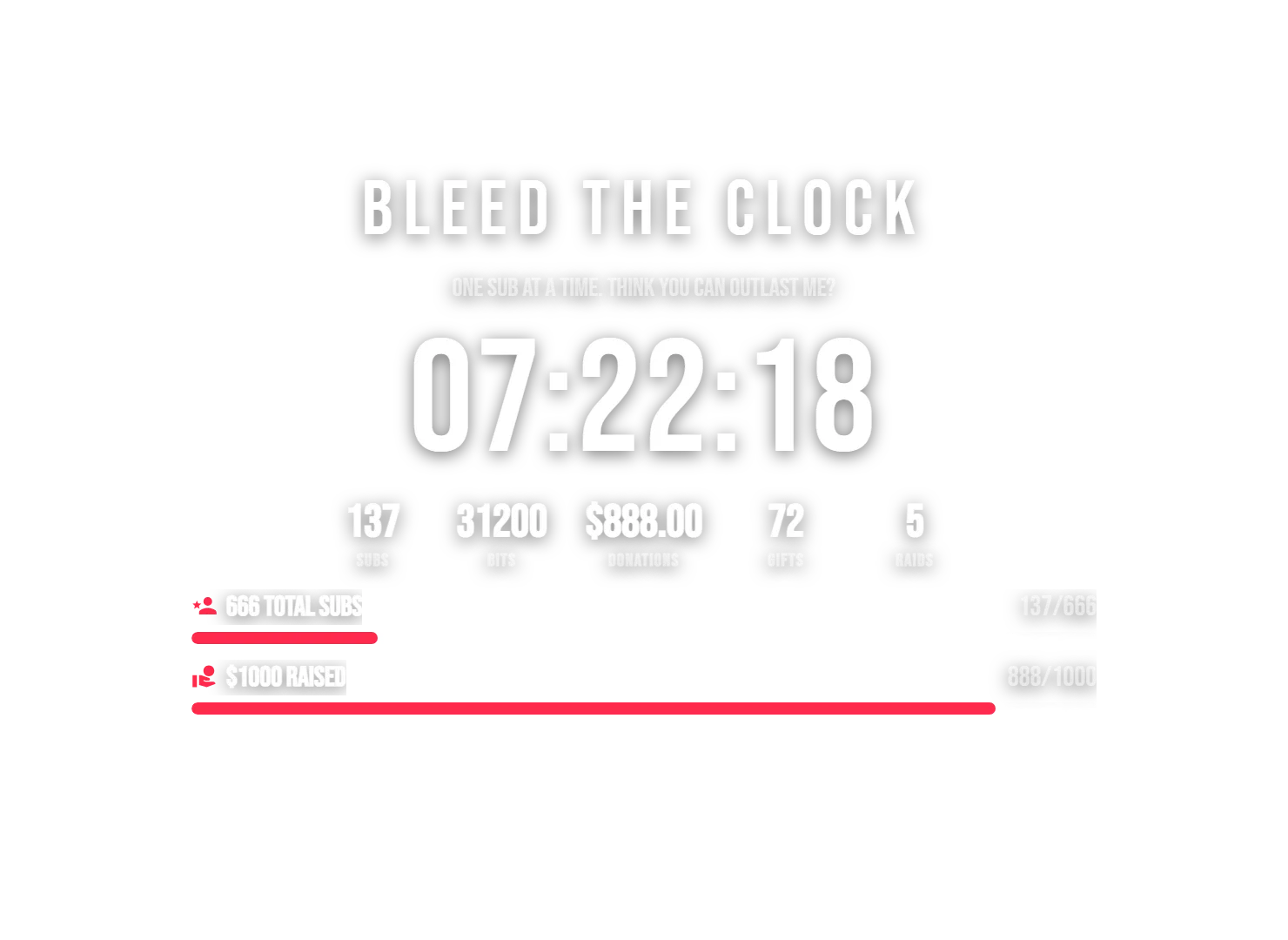
Tall condensed Bebas Neue in blood crimson — for the heavy streams.
Overdrive
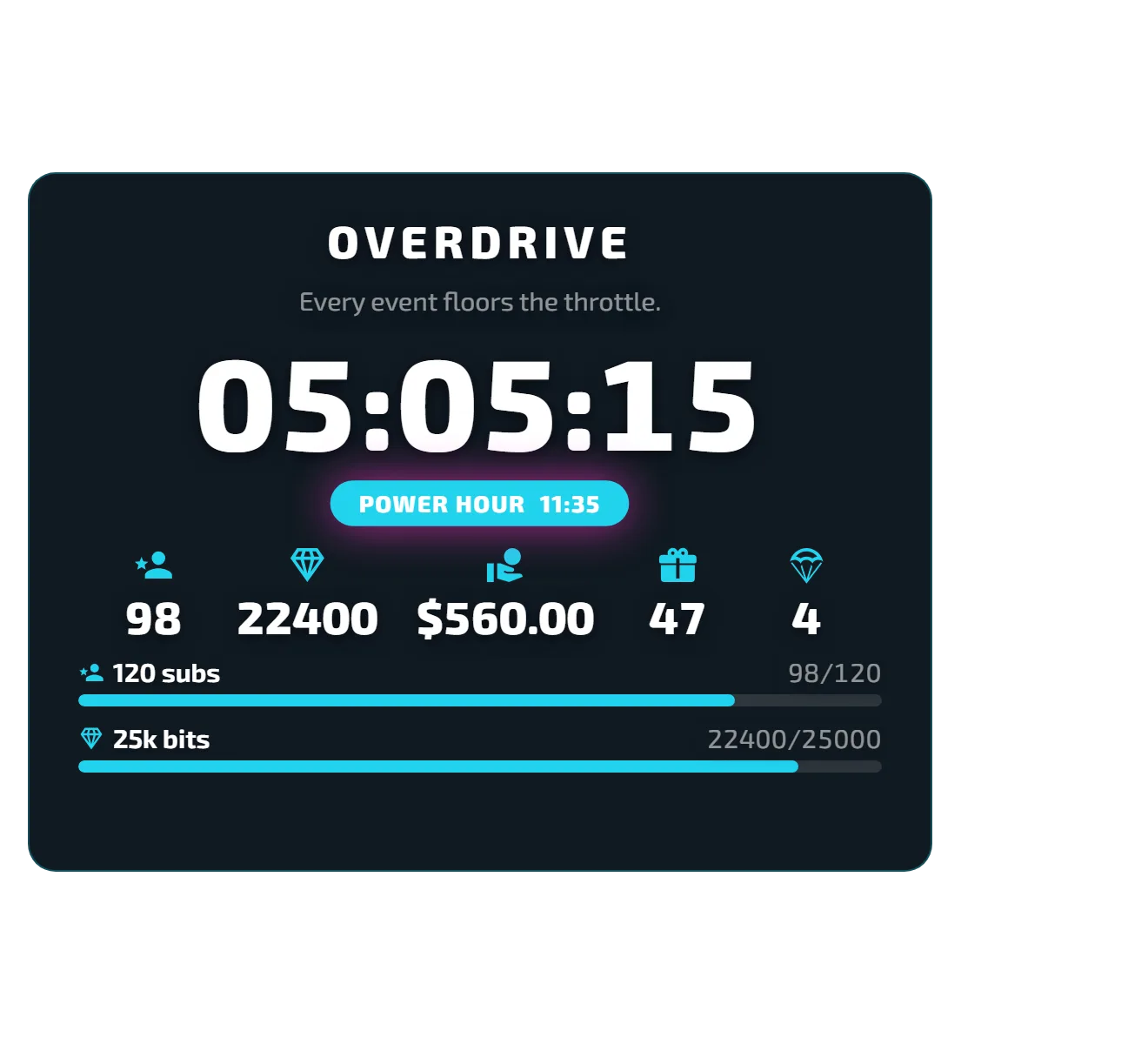
Exo 2, cyan, icon-only stats, left-aligned card.
Golden Hour
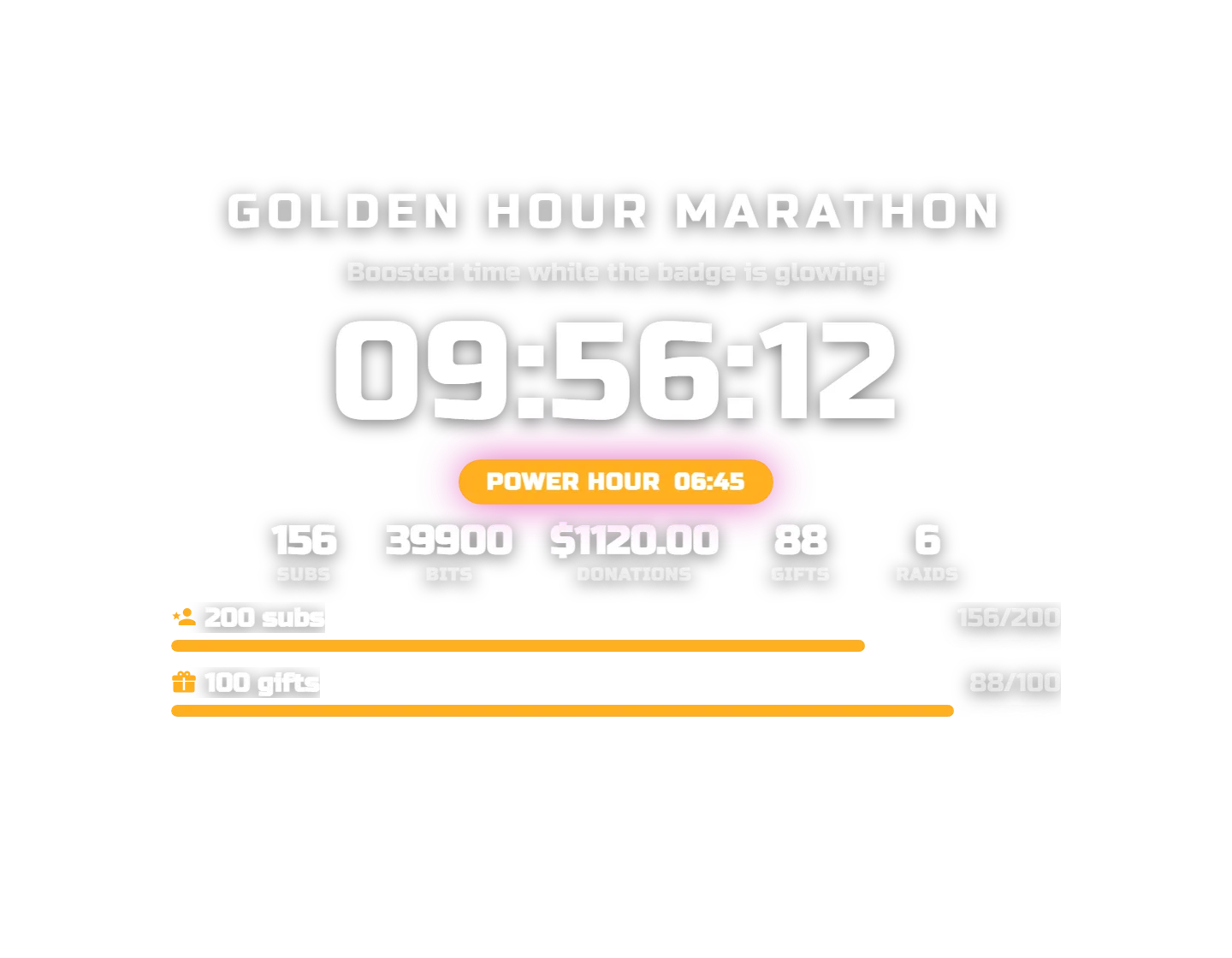
Russo One in warm amber with the Power Hour boost running.
Tsunami
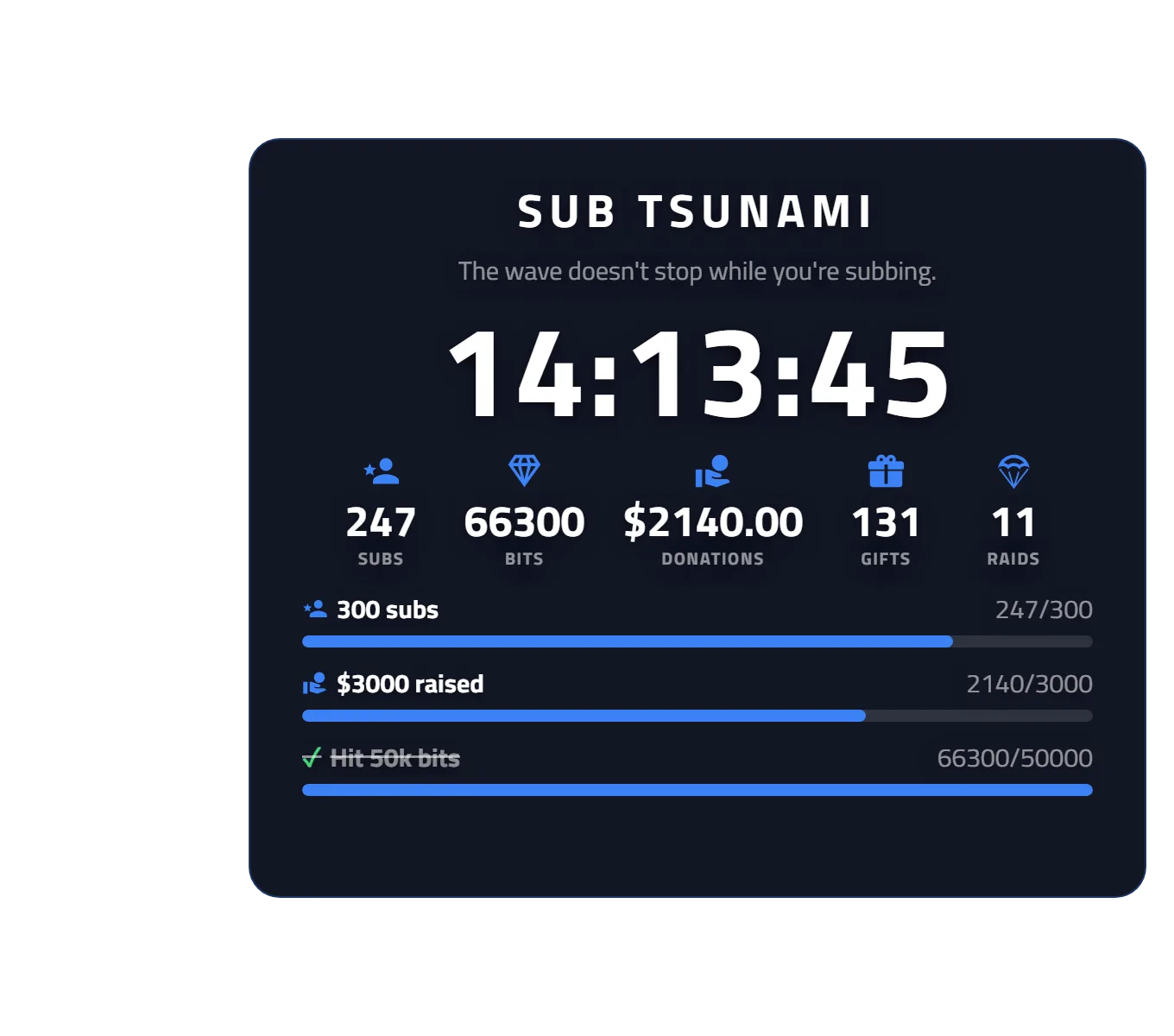
Titillium Web, electric blue, right-aligned card with completed goals.
Panic
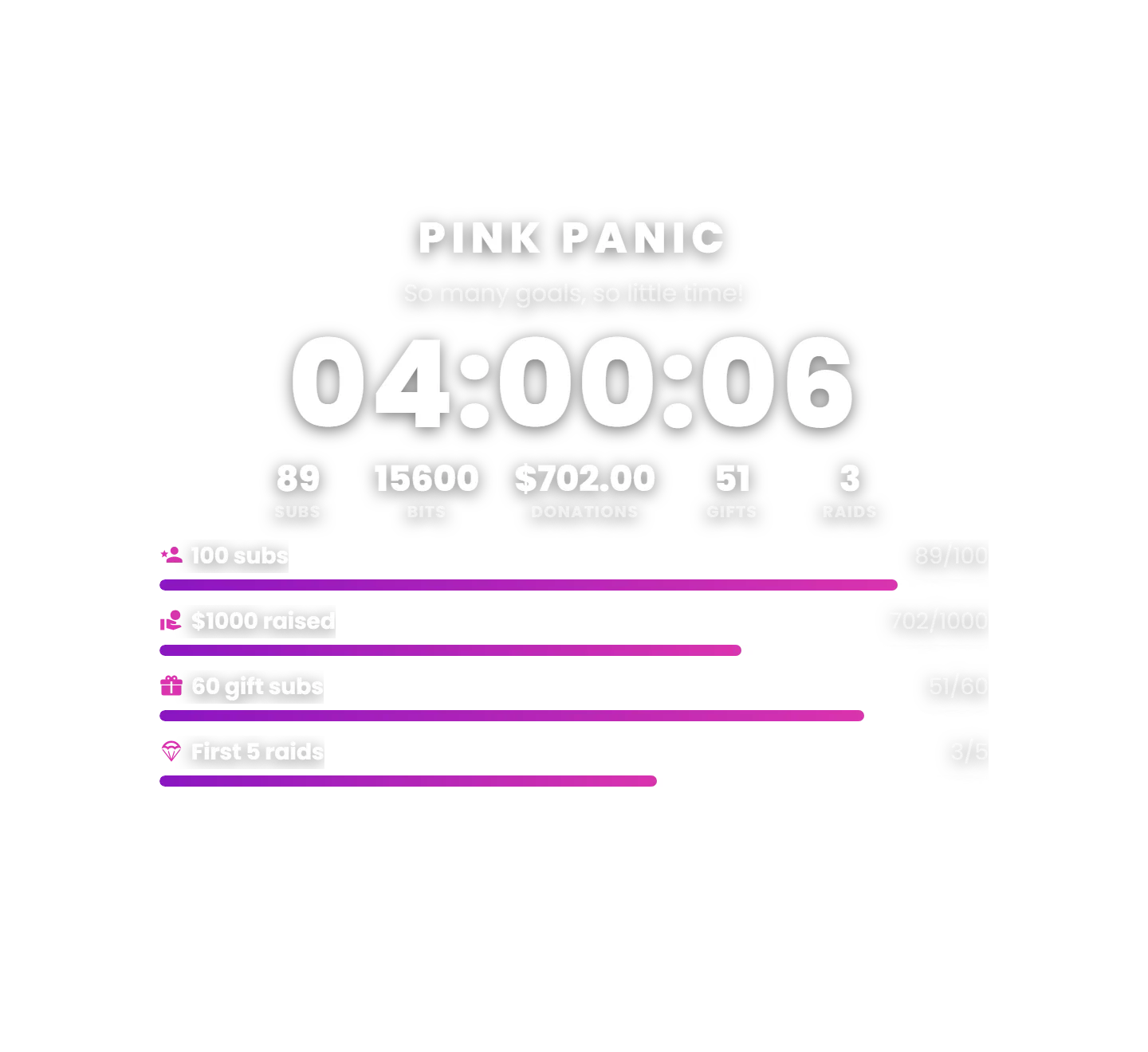
Poppins with a full stack of live goal bars.
Minimal
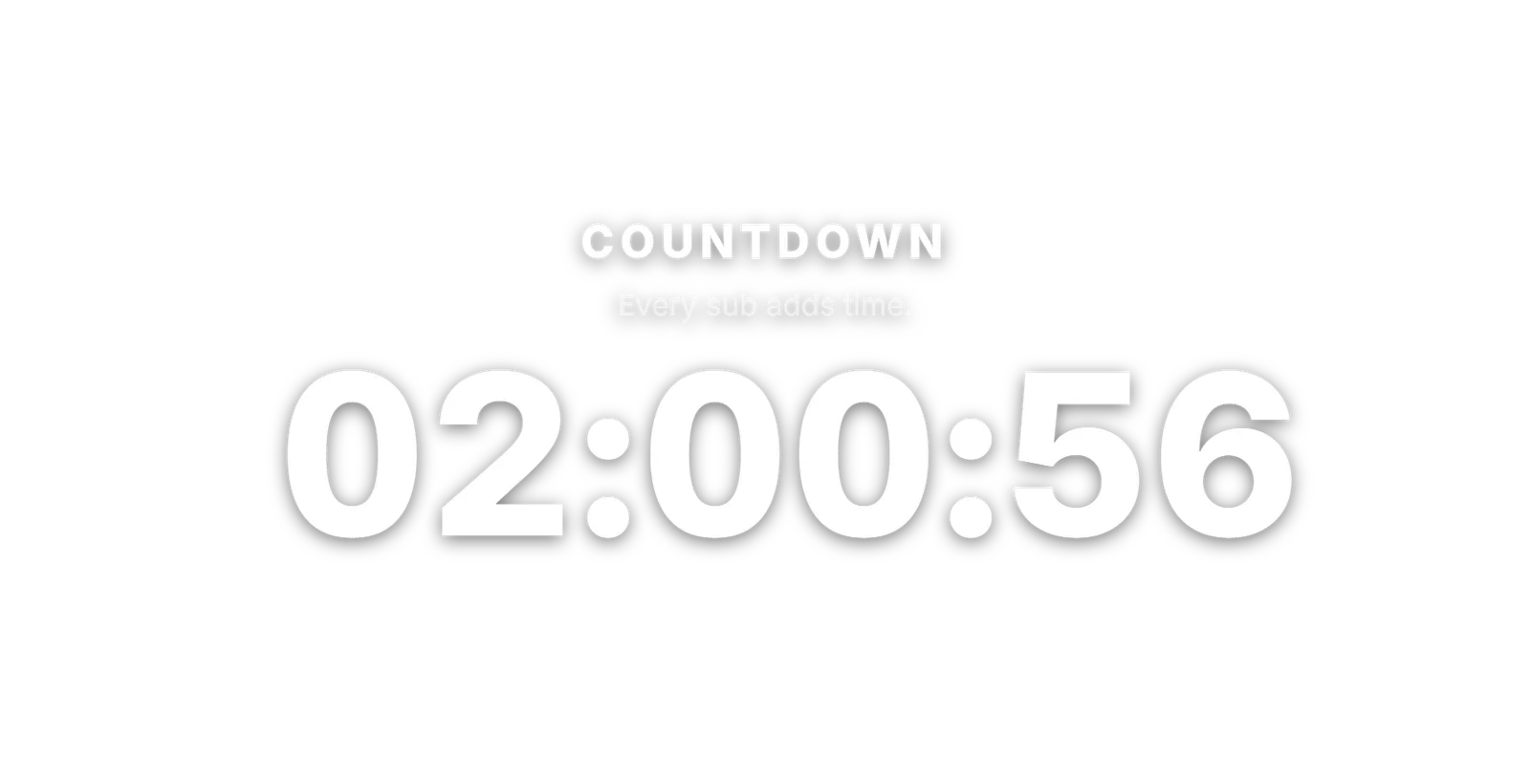
Just the clock — Inter, oversized timer, stats and goals hidden.
Hype
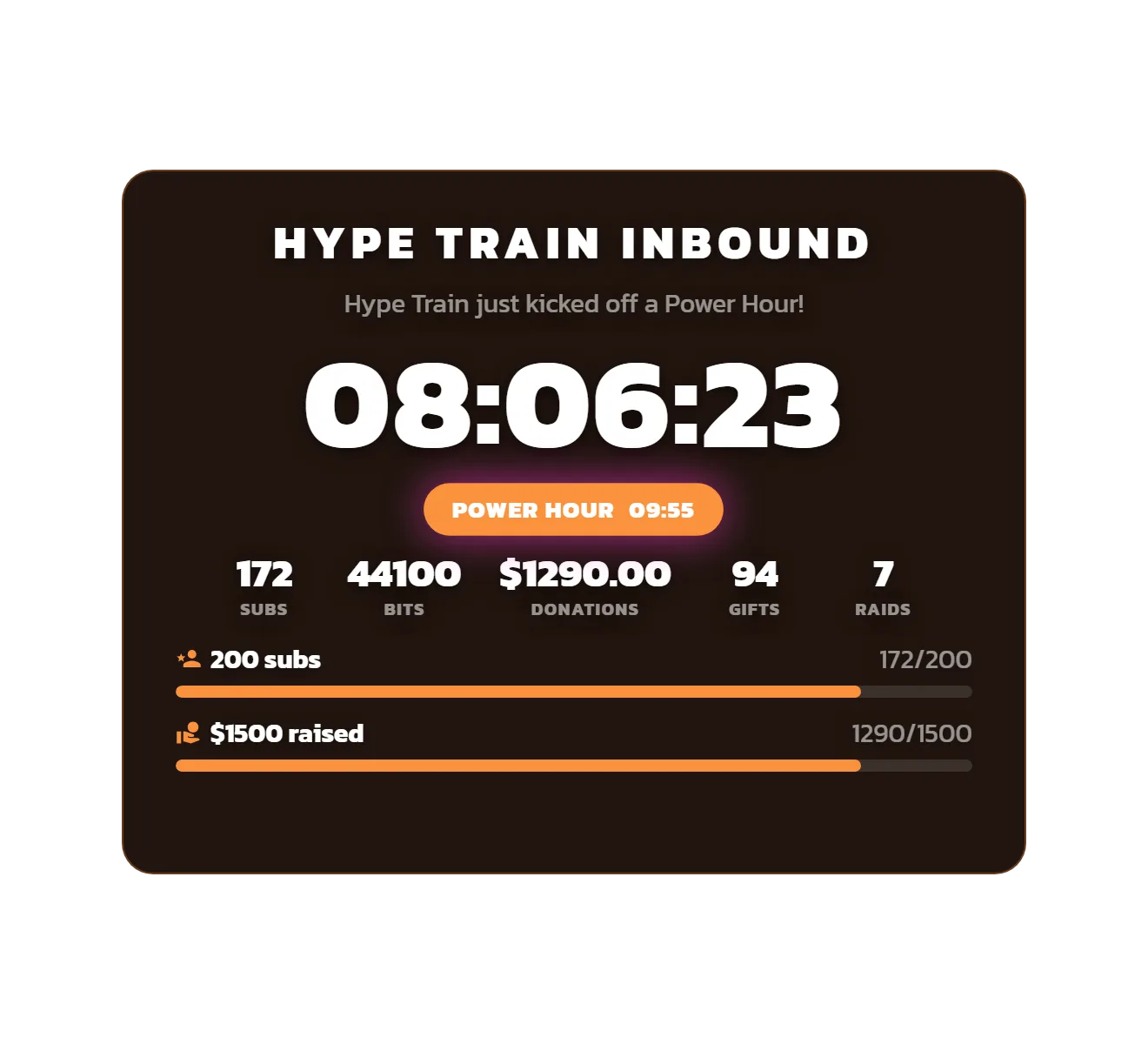
Kanit in orange, card style, Power Hour kicked off by a Hype Train.
Endurance
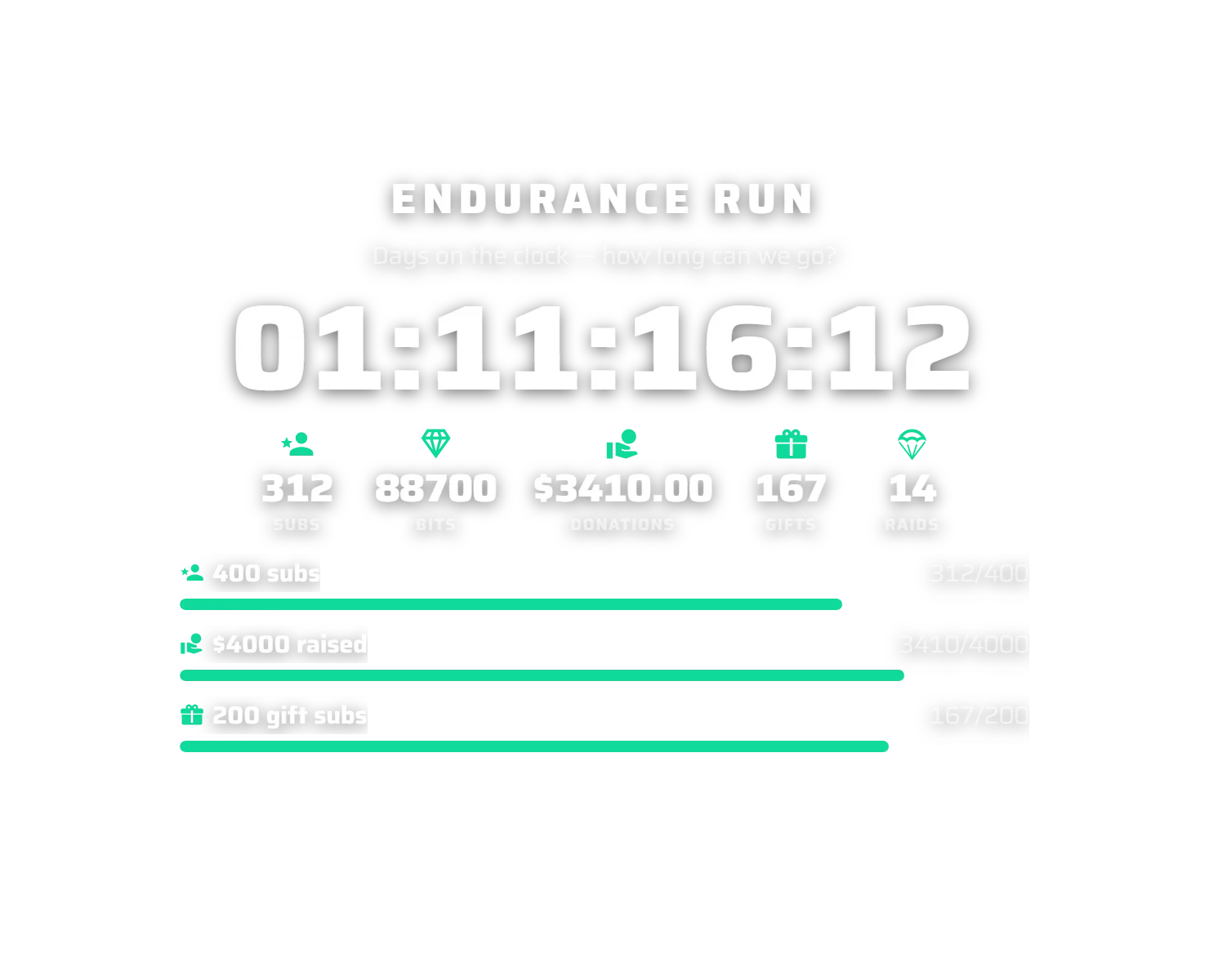
Saira, teal, with a days-hours-minutes-seconds counter for the long haul.
Adding the DLL
How the Subathon Extension Works
The extension has two components:
- Overlay — A fully transparent browser source that shows the countdown on stream: the timer, an optional title/description, a live stats strip (subs, bits, donations, gifts, raids, follows), goal bars, a Power Hour banner, and a rotating "last event" line.
- Dock — A control panel you add to OBS/Meld/SLOBS. Start, pause, and add time to the timer; start a Power Hour; adjust totals manually; manage goals; and set the overlay's title/description text — all live.
The control dock — run the whole subathon without touching Streamer.bot
Subathon Control Dock
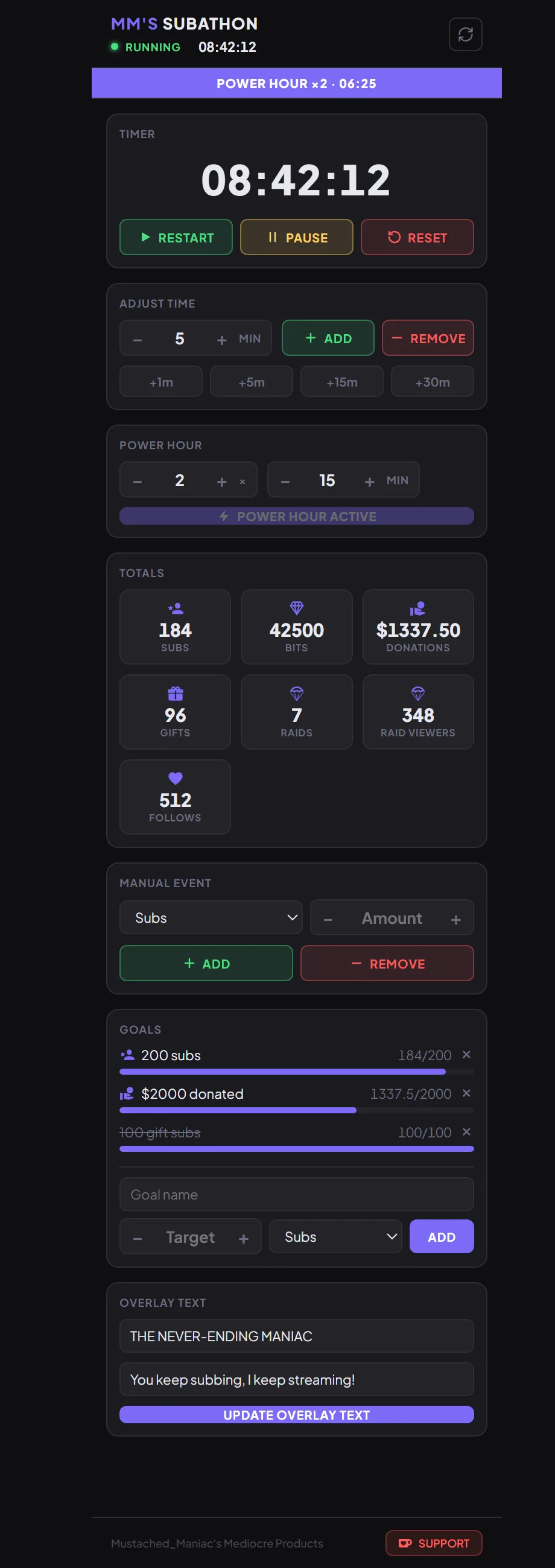
Start, pause and reset the timer, add or remove time, fire a Power Hour, adjust totals, manage goals, and set the overlay's title/description — all live.
Customizing the Overlay URL
Live Preview
| Parameter | Example | Description |
|---|---|---|
host | 192.168.1.1 | Only needed if your Streamer.bot WebSocket address is not 127.0.0.1 |
port | 8118 | Only needed if your Streamer.bot WebSocket port is not 8080 |
endpoint | /stuff | Only needed if your Streamer.bot WebSocket endpoint is not / |
password | mYp@$$ | Only needed if you have authentication enabled on your WebSocket server |
align | left | Position of the overlay — left, center, or right (default: center) |
font | Roboto | Any Google Font name (default: Plus Jakarta Sans) |
fontColor | #ffffff | Text color (default: #ffffff) |
accentColor | #7c6af7 | Fill color for the goal bars (default: purple→pink) |
shadow | On | Text shadow for legibility over any scene — On or Off (default: On) |
bg | #0f0f11 | Background color of the card. Adding it turns the card on; leave it off for a fully transparent overlay |
opacity | 85 | Card background opacity as a percentage, 1–99 (default: 85) |
border | On | Enable a card border. Pair with borderColor, borderWidth, radius, padding |
showTitle / showDescription | Off | Hide the title or description line |
showStats / showGoals / showPowerHour / showEvents | Off | Hide a whole section |
statSubs … statFollows | Off | Hide an individual stat from the stats strip |
statDisplay | both | Show stats as label (text), icon (glyph/image), or both (default: label) |
labelSubs … labelFollows | Subbies | Rename any stat's label |
showCompleted | Off | Drop achieved goals entirely instead of showing them lined-through |
goalMaxVisible | 4 | Cap the goal list to N rows tall; extra goals auto-scroll (default: 0 = all) |
goalScrollSpeed | 30 | Goal auto-scroll speed in px/s (default: 30) |
titleSize/titleWeight, descSize/descWeight, timerSize/timerWeight, statSize/statWeight, goalSize/goalWeight — if you want to fine-tune the type scale.Customizing the Dock URL
host, port, endpoint, and password parameters — if your WebSocket server isn't on the defaults, add those to the dock URL as well.What Adds Time
Each event type has its own time value that you configure in the extension's settings, per platform. Any event can be turned off if you don't want it to add time.
| Platform | Events that can add time |
|---|---|
| Twitch | Subscriptions, Resubs, Gift Subs, Gift Bombs, Cheers (bits), Custom Power-Up redemptions, Follows, Raids, Hype Train level-ups, Charity donations, Channel Point rewards |
| YouTube | New Members, Member Milestones, Gift Memberships, Super Chats, Super Stickers, Jewels, New Subscribers |
| Kick | Subscriptions, Resubs, Gift Subs, Mass Gifts, Kicks (bits), Follows |
Custom Triggers — add time from any Streamer.bot action
Not limited to the built-in events above. On the Custom tab in settings you can watch any Streamer.bot action and add a set number of seconds whenever it runs. Give the trigger a name, pick (or type) the exact Action name to watch, set the seconds to add, and enable it.
This means anything you can build an Action for can add time — a chat command, a third party integration,a channel point reward, a Stream Deck button, a Hype Train event, a raffle win, a mod tool, whatever. Point the Custom trigger at that Action and the subathon clock responds. You can add as many custom triggers as you like and toggle each on or off.
0. Enable it and give it a number of seconds in settings if you want follows to add time and appear in the stats strip.Power Hour
Run a temporary multiplier window (e.g. ×2) where every event adds boosted time. Start it manually from the dock, or have it start automatically when a Twitch Hype Train begins and stop when it ends.
Goals
Set goals against any metric (subs, bits, donations, gifts, raids, follows). Bars fill in live and completed goals are marked as achieved. Long goal lists can auto-scroll on the overlay.
Streamer.bot Custom Triggers
The extension registers these custom triggers under the MM Subathon group, so you can build your own alerts and automations off subathon events:
| Trigger | Fires when |
|---|---|
| Subathon State Updated | Any state change (any event, timer tick, manual adjustment, or reset) |
| Subathon Timer Ended | The timer reaches zero |
| Subathon Goal Reached | A goal is achieved |
| Subathon Power Hour Changed | A Power Hour starts or stops |
Available Streamer.bot Arguments
The following arguments are pushed with each subathon update and are available in any Streamer.bot action tied to the triggers above.
| Argument | Type | Description |
|---|---|---|
subathonCommand | string | What triggered this update |
running | bool | Timer is actively counting down |
paused | bool | Timer has been started but is currently paused |
started | bool | Timer has been started at least once |
startTimeUnix | int | When the timer started, Unix seconds |
startTime | string | When the timer started, local clock time |
endTimeUnix | int | Projected end time, Unix seconds |
endTime | string | Projected end time, local clock time |
remainingSeconds | int | Seconds remaining on the clock |
remainingFormatted | string | Time remaining, formatted to your time format |
elapsedSeconds | int | Seconds elapsed since the timer started |
elapsedFormatted | string | Time elapsed, formatted |
totalTimeAddedSeconds | int | Total seconds added by all events |
totalTimeAddedFormatted | string | Total time added, formatted |
totalSubs | int | Total subscriptions counted |
totalBits | int | Total bits counted |
totalGifts | int | Total gifted subs counted |
totalDonations | double | Total donation/tip amount |
totalRaids | int | Total raids counted |
totalRaidViewers | int | Total viewers brought in by raids |
totalFollows | int | Total follows counted |
totalSubsTimeAdded | int | Seconds added by all subs (all tiers combined) |
totalSubsTimeAddedFormatted | string | Time added by all subs, formatted |
totalT1Subs | int | Tier 1 sub count |
totalT1SubsTimeAdded | int | Seconds added by Tier 1 subs |
totalT1SubsTimeAddedFormatted | string | Time added by Tier 1 subs, formatted |
totalT2Subs | int | Tier 2 sub count |
totalT2SubsTimeAdded | int | Seconds added by Tier 2 subs |
totalT2SubsTimeAddedFormatted | string | Time added by Tier 2 subs, formatted |
totalT3Subs | int | Tier 3 sub count |
totalT3SubsTimeAdded | int | Seconds added by Tier 3 subs |
totalT3SubsTimeAddedFormatted | string | Time added by Tier 3 subs, formatted |
totalPrimeSubs | int | Prime sub count |
totalPrimeSubsTimeAdded | int | Seconds added by Prime subs |
totalPrimeSubsTimeAddedFormatted | string | Time added by Prime subs, formatted |
totalGiftSubs | int | Gifted sub count |
totalGiftSubsTimeAdded | int | Seconds added by gifted subs |
totalGiftSubsTimeAddedFormatted | string | Time added by gifted subs, formatted |
totalBitEvents | int | Number of cheer (bit) events |
totalBitsTimeAdded | int | Seconds added by bits |
totalBitsTimeAddedFormatted | string | Time added by bits, formatted |
totalRaidsTimeAdded | int | Seconds added by raids |
totalRaidsTimeAddedFormatted | string | Time added by raids, formatted |
totalFollowsTimeAdded | int | Seconds added by follows |
totalFollowsTimeAddedFormatted | string | Time added by follows, formatted |
totalDonationEvents | int | Number of donation events |
totalDonationsTimeAdded | int | Seconds added by donations |
totalDonationsTimeAddedFormatted | string | Time added by donations, formatted |
powerHourActive | bool | Whether a Power Hour is currently active |
powerHourMultiplier | double | Current Power Hour multiplier (e.g. 2.0) |
powerHourEndsUnix | int | When the active Power Hour ends, Unix seconds |
powerHourEnds | string | When the active Power Hour ends, local clock time |
