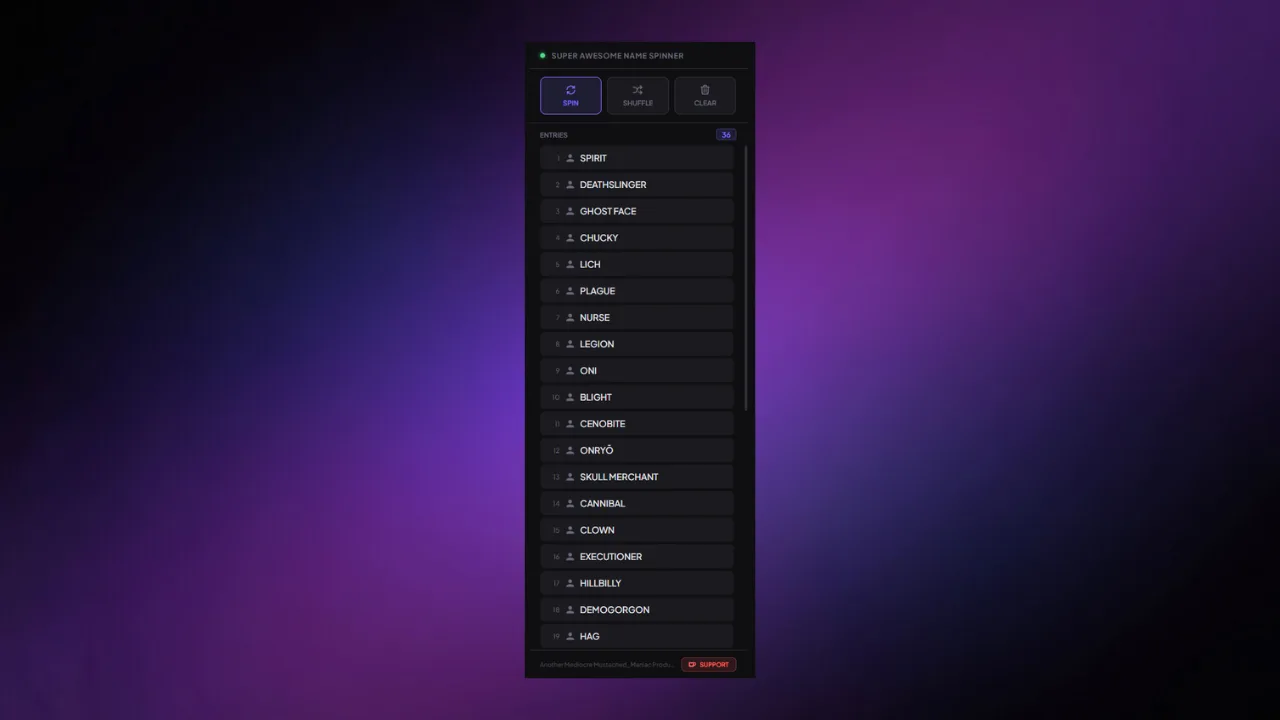
Super Awesome Name Spinner (SANS) for Live Streaming






Scrolling wheel that can add users, or items from a list, and randomly select a winner.
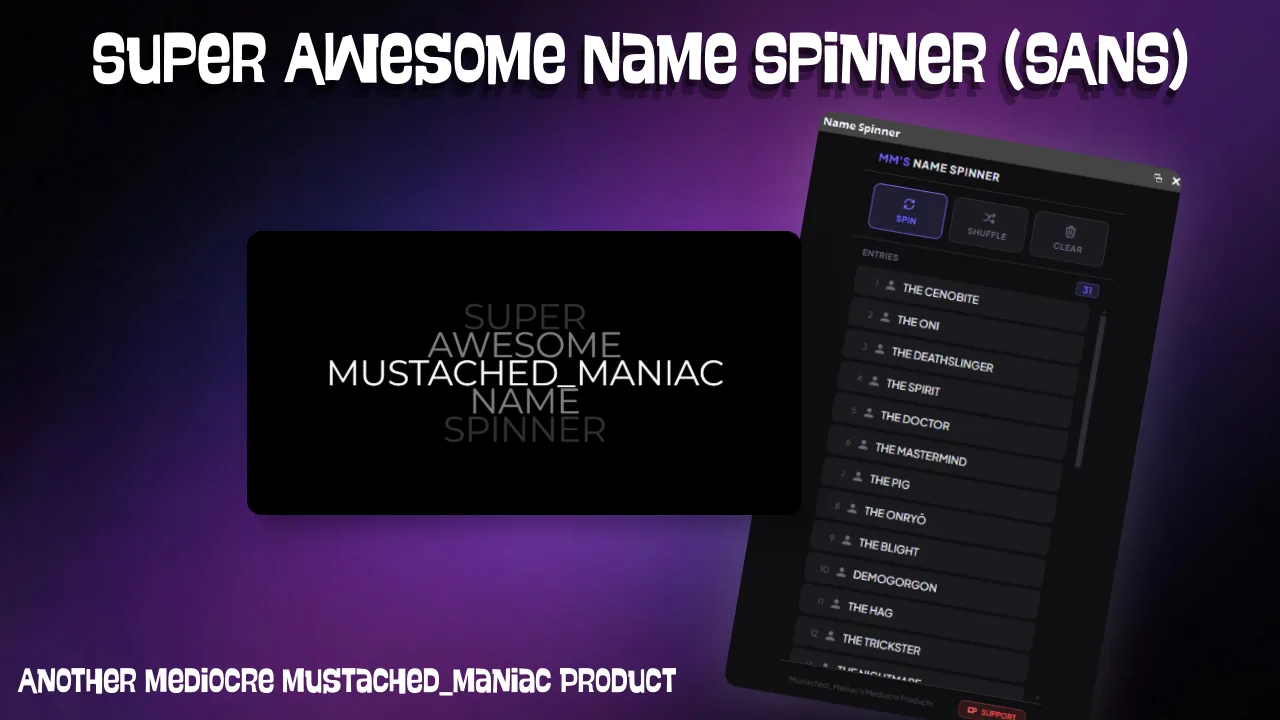
Download Super Awesome Name Spinner (SANS) for Live Streaming
Click the button below to download Super Awesome Name Spinner (SANS) for Live Streaming! If you find it useful, consider leaving a tip to support development.
This Streamer.bot extension allows streamers to spin to select a user, or items from a list at random. All controls can be managed via Command, Stream Deck Button, or with the NEW Built-in Dock and the spinner itself can be customized to fit nearly all stylings.
Available Actions for the Super Awesome Name Spinner (SANS) Extension
- Adding Users to the Spinner
- Users can be added to the spinner by using the
!addcommand followed by the user's name. - Broadcaster can manually add users by enabling the
%user%variable in theAdd User to Spinneraction and then using the command, or a Streamdeck button.
- Users can be added to the spinner by using the
- Add items to the wheel via a list
- Requires a valid file path in the
%spinList%argument (can be used for quick adding things like game names, perks within a game, etc.) - Each name should be on a new line
- Requires a valid file path in the
- Clear the Wheel
- The
!clearcommand will remove all users from the spinner
- The
- Remove Name from Wheel
- The
!removecommand will remove that user that triggered it from the spinner - Broadcaster can manually remove users by enabling the
%user%variable in theRemove User from Spinneraction and then using the command, or a Streamdeck button.
- The
- Shuffle the Wheel
- Currently no command associated, I use a Streamdeck button to shuffle the wheel (could use a hotkey or Command)
- Spin Complete - Announce Winner
- There is NO Trigger associated with this action, it is meant to automagically announce the winner once the wheel has stopped spinning
- Spin the Wheel
- Currently no command associated, I use a Streamdeck button to spin the wheel (could use a hotkey or Command)
Adding the Super Awesome Name Spinner to OBS Studio
You can use SANS straight out of the box and it will work just fine.
Navigate to the
ScenesTab and press+to create a newScene(you can name it whatever you'd like)
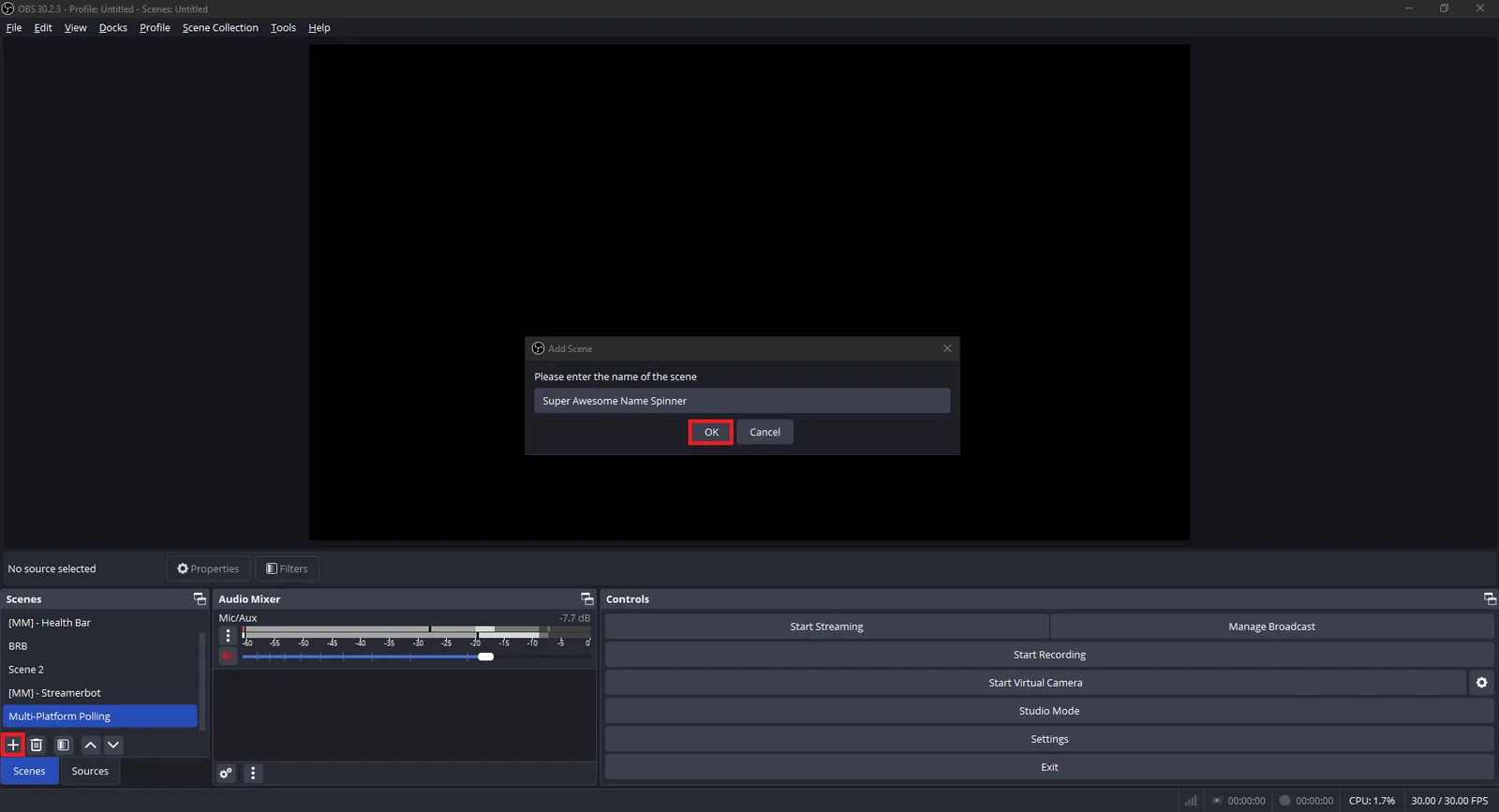
On your new
Scene, Click on theSourcesTab and press the+to create a newBrowser Source(name is irrelevant again)
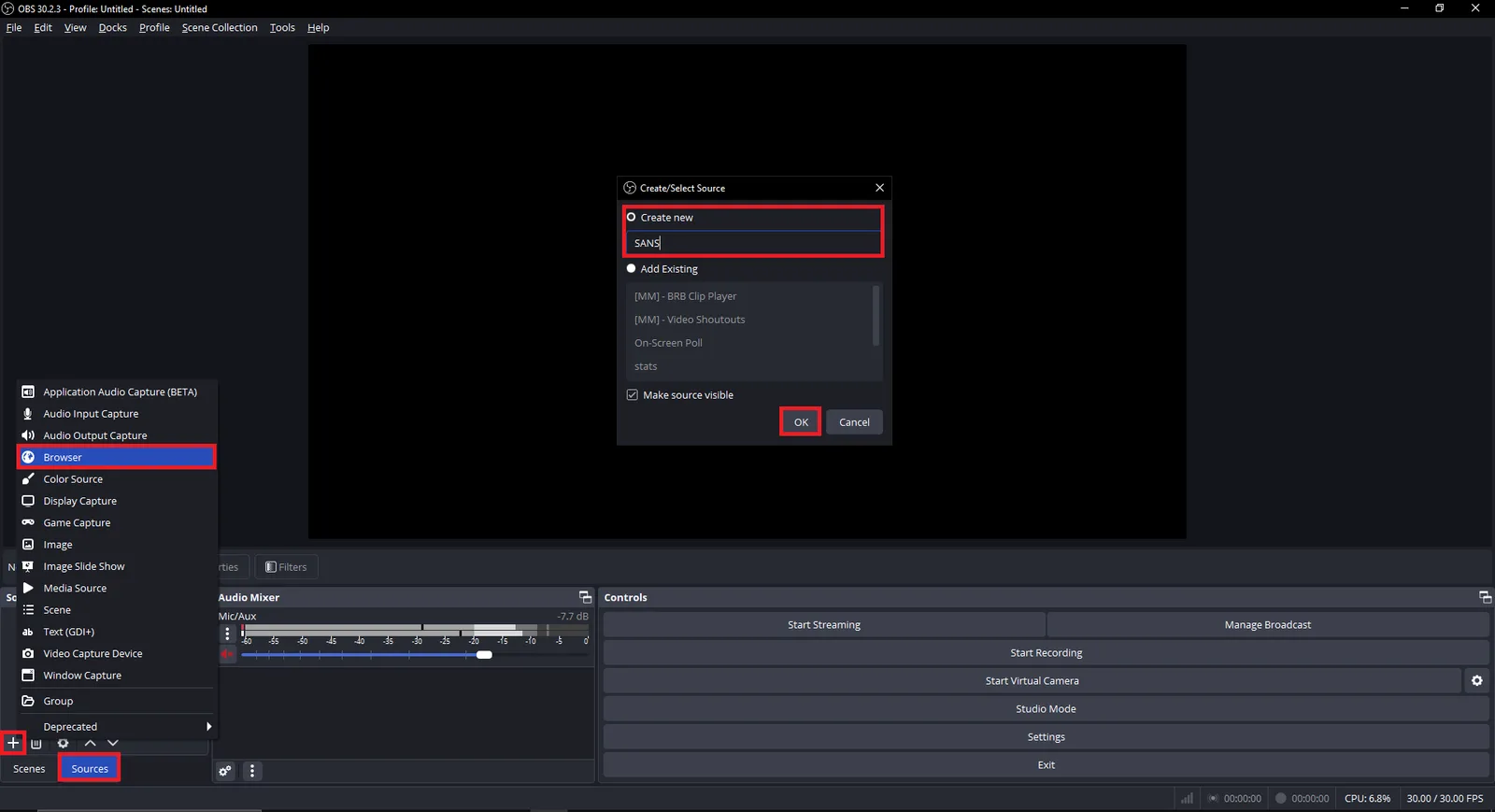
Double-Click on your newly created
Browser Sourceand edit the URL to the one provided
https://mustachedmaniac.com/widgets/Spinning_Names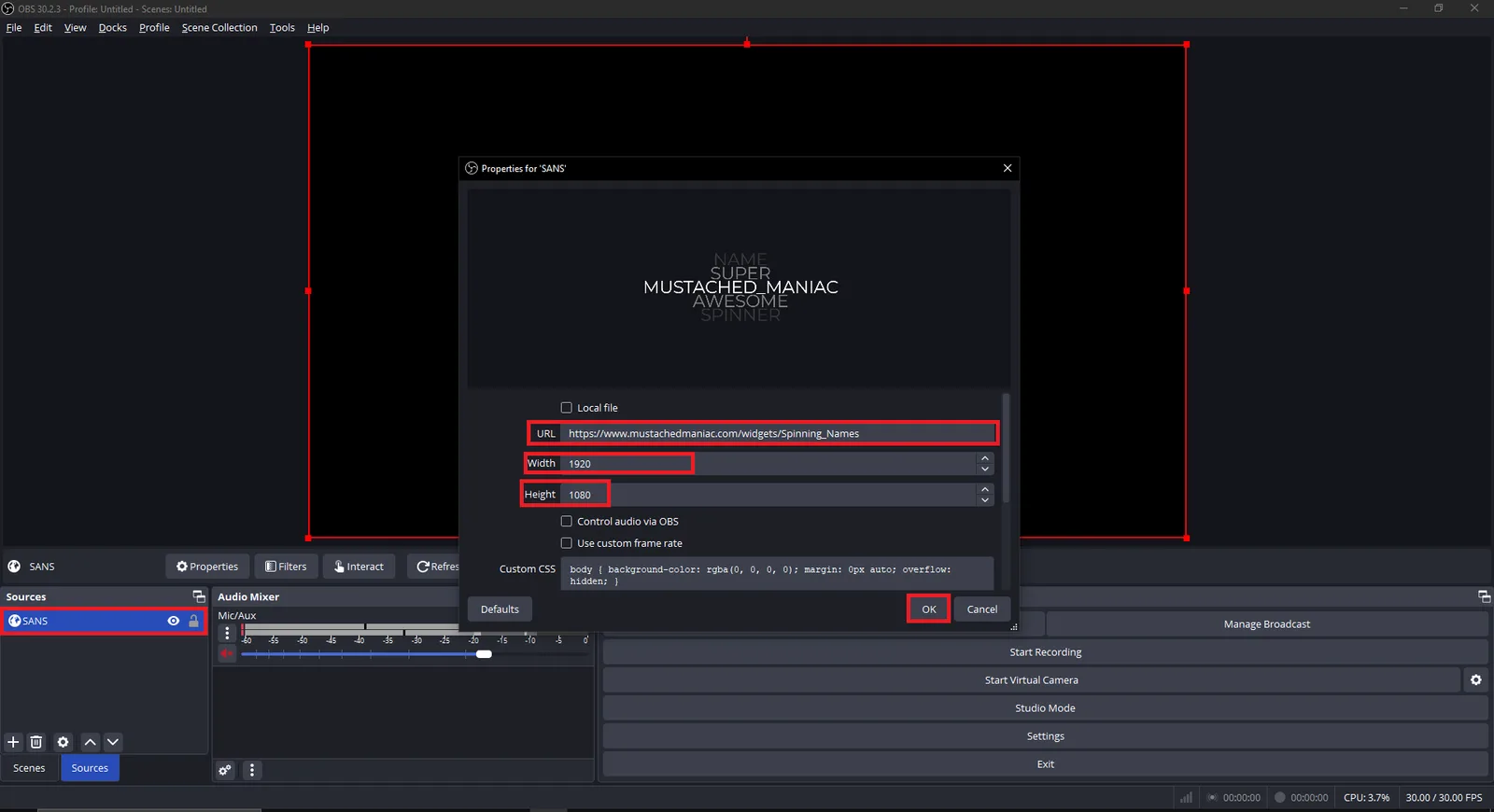
Congrats, you're ready to start using the Super Awesome Name Spinner (SANS)!!
If you'd like to further customize it, use the tool below to tweak things like spin duration, color options, alignment, etc.
On position, and then press the Update URL button to see a live preview. You can then copy the newly generated URL into your browser source to have the changes reflect on your version.Customizing SANS to Match your Asthetic
There are several URL parameters that can be added to the end of the link above to customize SANS to your liking.
Live Preview
| Parameter | Example | Description |
|---|---|---|
| host | 192.168.1.1 | Only needed if your Streamer.bot websocket address is NOT on 127.0.0.1 |
| port | 8118 | Only needed if your Streamer.bot websocket port is NOT on 8080 |
| endpoint | "/stuff" | Only needed if your Streamer.bot websocket endpoint is NOT on "/" |
| password | "mYsEcReTp@$$w0rd" | Only needed if you have authentication enabled on your Streamer.bot websocket |
| duration | 30 | Adjust the length of the spin. Can be 5-60 seconds (default is 10) |
| align | left | Set the text to be aligned to the left / center / right of the box (default to center) |
| font | Roboto | Accepts system and Google fonts |
| color | red | Pick a different text color. Accepts names or hex values (defaults to white) |
| bg | #000000 | Pick a different background color. Accepts names or hex values (defaults to no background/transparent) |
| max | 10 | Set the maximum number of entries per user (default is 1) |
| onWin | remove | Set the action to perform when a user wins (default is off so nothing happens). Remove will remove their name, and clear will clear the entire wheel |
| winDelay | 5 | Set how long the Winner is displayed (default is 5) |
Optional Browser Dock for Controlling SANS
If you would prefer to not use a Streamdeck button, or chat command, you can also use the built in dock to control the spinner. It has buttons for removing users, shuffling, spinning, and clearing the wheel.