Chat Widget




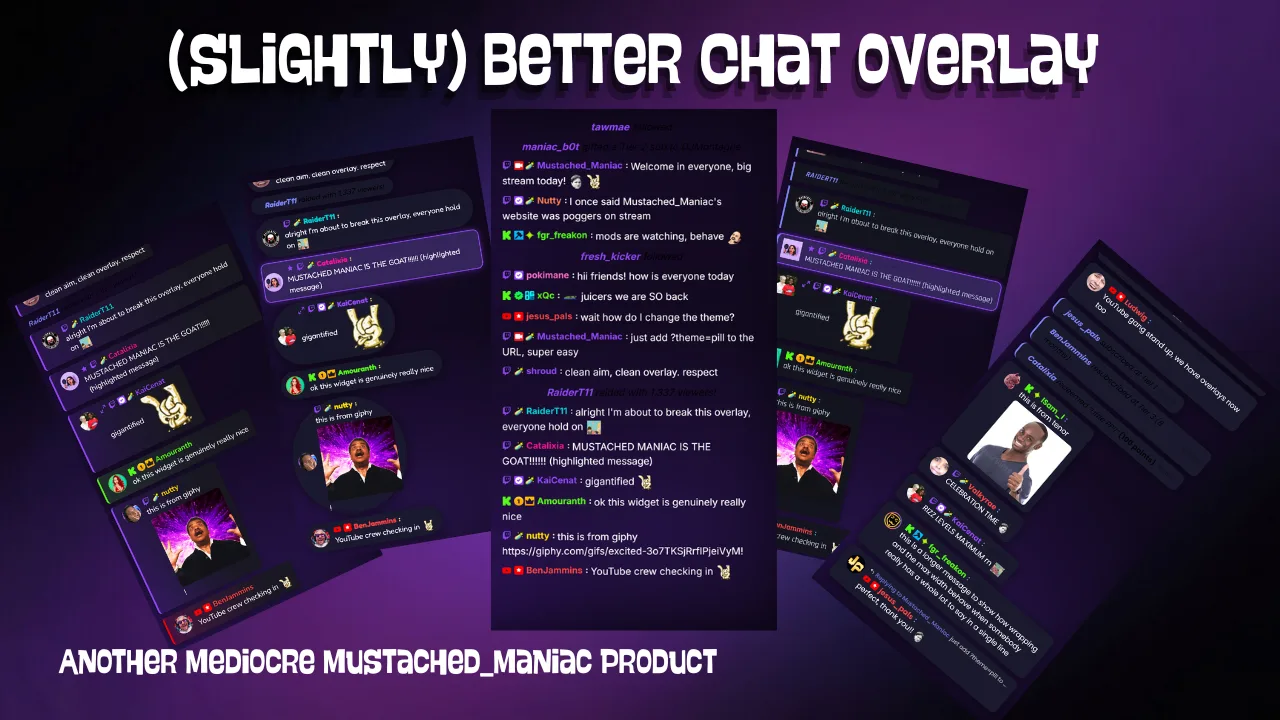
A zero-setup chat overlay for Twitch, Kick, and YouTube. Drop in a browser source, point it at Streamer.bot, and get a unified chat feed plus alerts — subs, raids, cheers, tips, Hype Trains, BTTV/7TV/FFZ emotes, and more — with a live configurator.
No Download Needed
Chat Widget is a browser-source overlay you set up right here — there is nothing to download. If you find it useful and want to support development, a tip is hugely appreciated. 🤘
The Chat Widget is a single browser source that pulls your Twitch, Kick, and YouTube chat into one unified feed — and it doesn't stop there. Follows, subs and resubs (with rank), gift subs, cheers, raids, Hype Trains, channel point rewards, YouTube Super Chats, members, and a whole pile of third-party tip platforms all show up right alongside your regular chat messages. BTTV, 7TV, and FFZ emotes render natively. GIF links from Tenor and Giphy embed inline. All without a single Streamer.bot action to import.
It's called Mustached Maniac's Slightly Better Chat Widget. The name is technically accurate but arguably undersells it — what it lacks in modesty it more than makes up for in configuration options. Five themes, two layout modes, every color and font you could want, per-event toggles for 30+ event types, role-gated GIF support, bot filtering, shared chat merging, and a live-preview configurator. Other chat overlays give you a chat feed. This one gives you your chat feed, exactly the way you want it.
See It In Action
Setup
Add the overlay as a browser source in OBS, Meld Studio, or SLOBS. Use the configurator below to choose your layout, theme, colors, fonts, and which events to show — with a live preview — then copy your finished URL directly into your streaming software.
Configure Your Overlay
Pick a theme, dial in the colors and typography, enable the events you want, and grab your URL. Everything has a sensible default, so you can go from zero to on-stream in under a minute — or spend an hour squeezing every pixel into place. We don't judge.
Ready to set it up?
Open the live configurator, tweak every option with an instant preview, then copy your browser-source URL straight into OBS.
Click Here to ConfigureAdd Your Chat Widget to OBS, Meld Studio, or SLOBS
Connecting to Streamer.bot
The widget talks to Streamer.bot's built-in WebSocket server. The defaults (127.0.0.1 on port 8080) work with a standard local install, so most people never need to touch them. If you've changed your WebSocket host, port, or added a password, enter those in the Connection settings in the configurator above.
What It Shows
Every event type below is enabled by default. Toggle off anything you don't want directly in the configurator's Events section — changes reflect in the live preview immediately.
- Chat — Twitch, Kick, and YouTube messages in a single feed, with channel badges, platform icons, emotes (including BTTV, 7TV, and FFZ), reply context, and Shared Chat support
- Alerts — Follows, subs and resubs (with cumulative month count), gift subs and gift bombs, cheers (Bits), raids, first words, and watch streaks
- Channel Points & Kicks — Twitch channel point redemptions and Kick channel rewards, including automatic highlight treatment for reward messages
- Hype Trains — Start, progress, and end events so your overlay reacts to every stage of a Hype Train as it unfolds
- YouTube — Super Chats, Super Stickers, new members, and gifted memberships
- Third-Party Tips — Ko-fi, Patreon, StreamElements, Streamlabs, Fourthwall, Pally.gg, Shopify, and StreamLoots — handled automatically, nothing to wire up
Themes
Five built-in themes let you match the widget to your stream's visual identity without touching a line of CSS. Pick one in the configurator and the live preview updates instantly.
Rounded
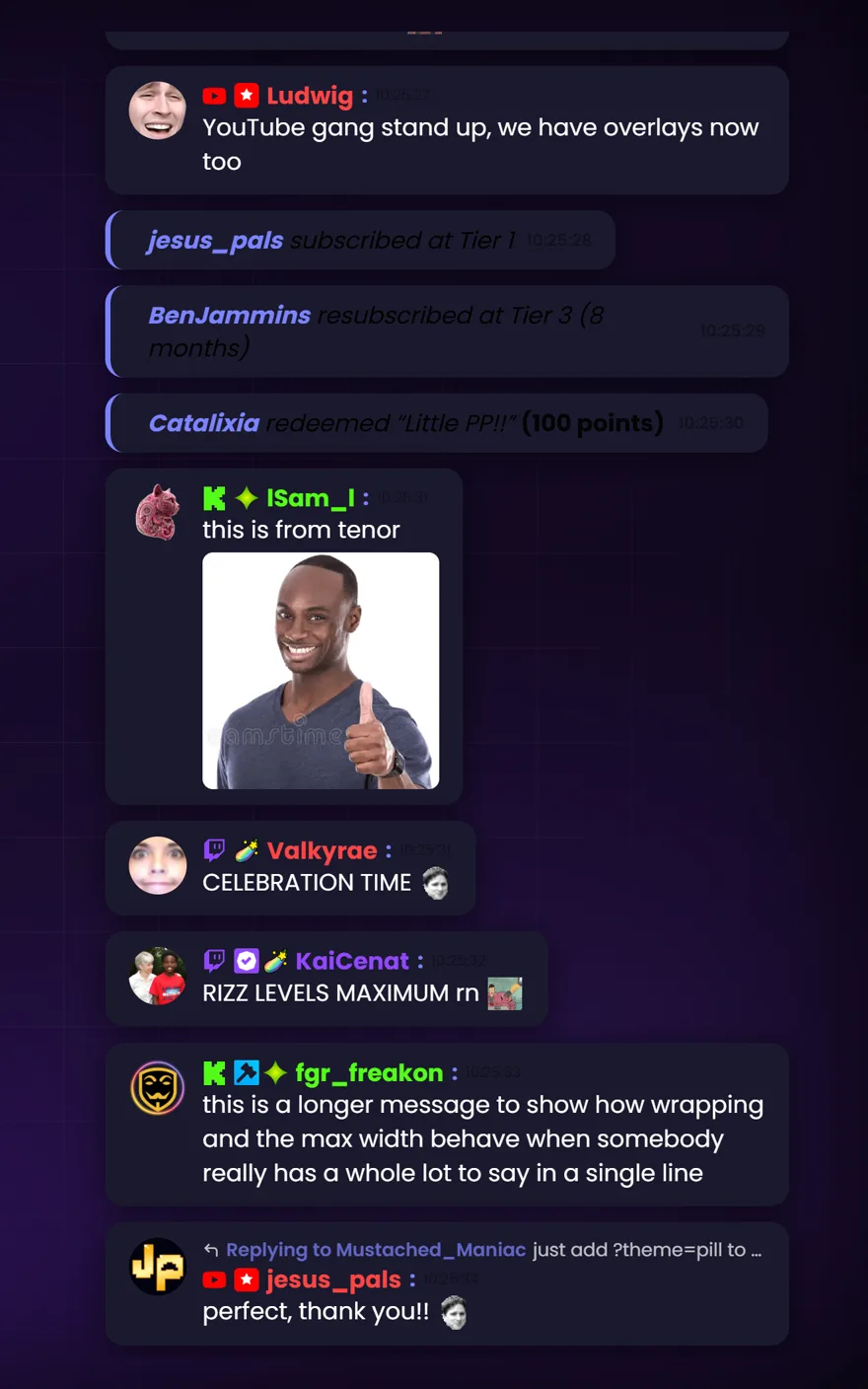
The default. Soft bubble cards with a left accent stripe — clean and readable on any background.
Pill
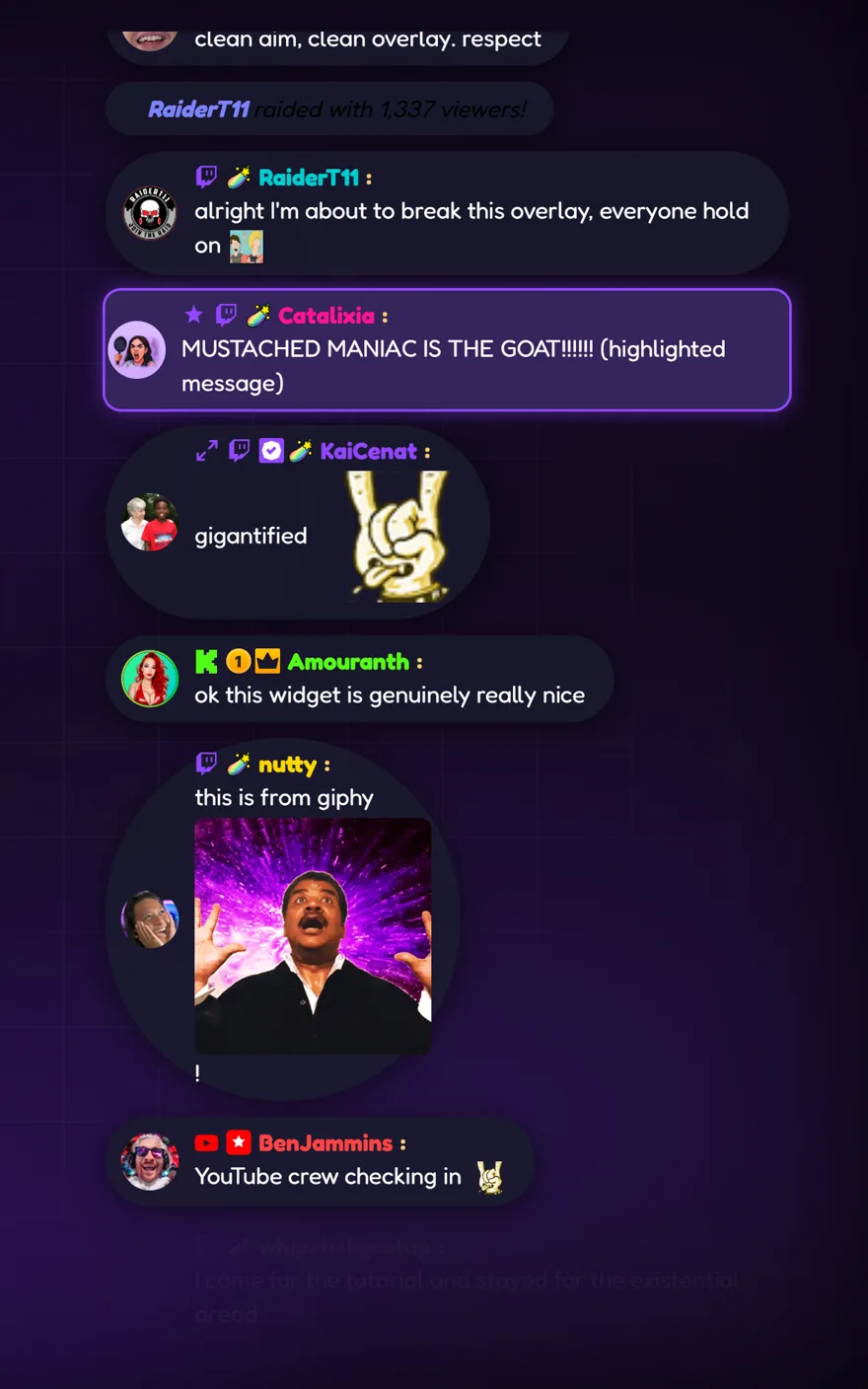
Fully rounded bubbles for a modern, compact look. Names default to that signature MM purple.
Sharp
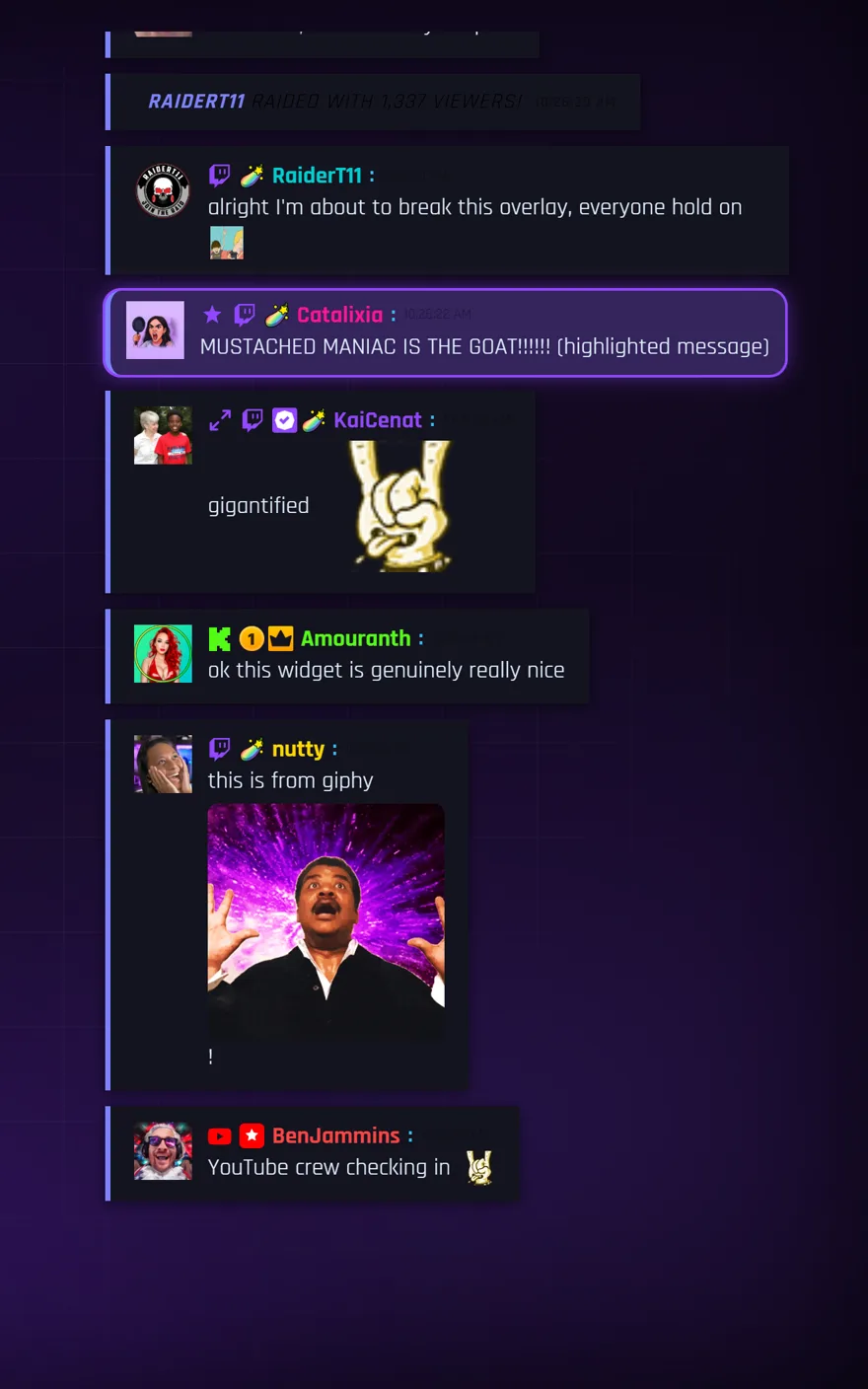
Square corners, left accent border, no frills. Great for HUD-style or retro-aesthetic overlays.
Minimalist
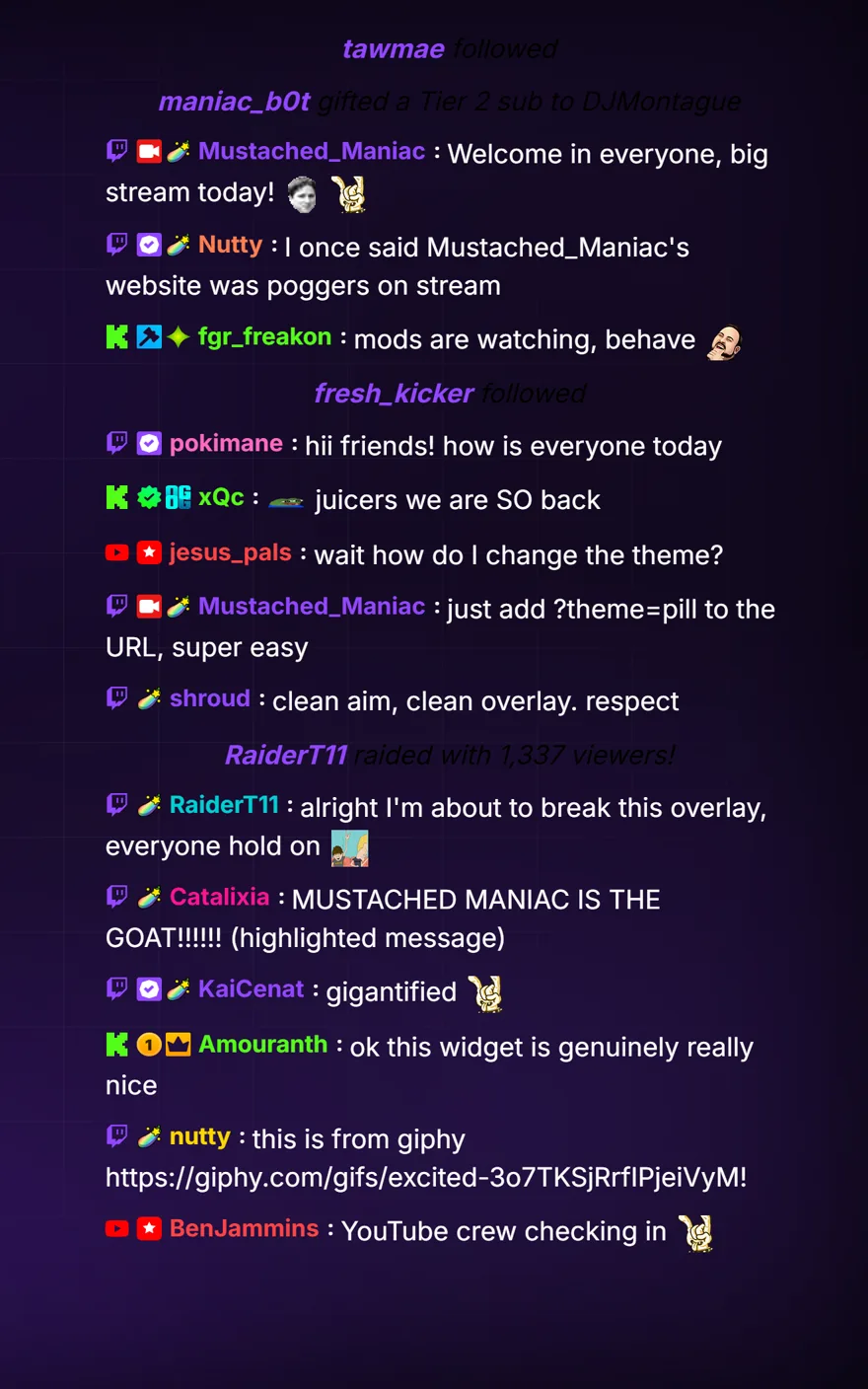
No bubbles — just name, colon, and message flowing inline. Built for IRL streamers and anyone who hates clutter.
Multi-Platform
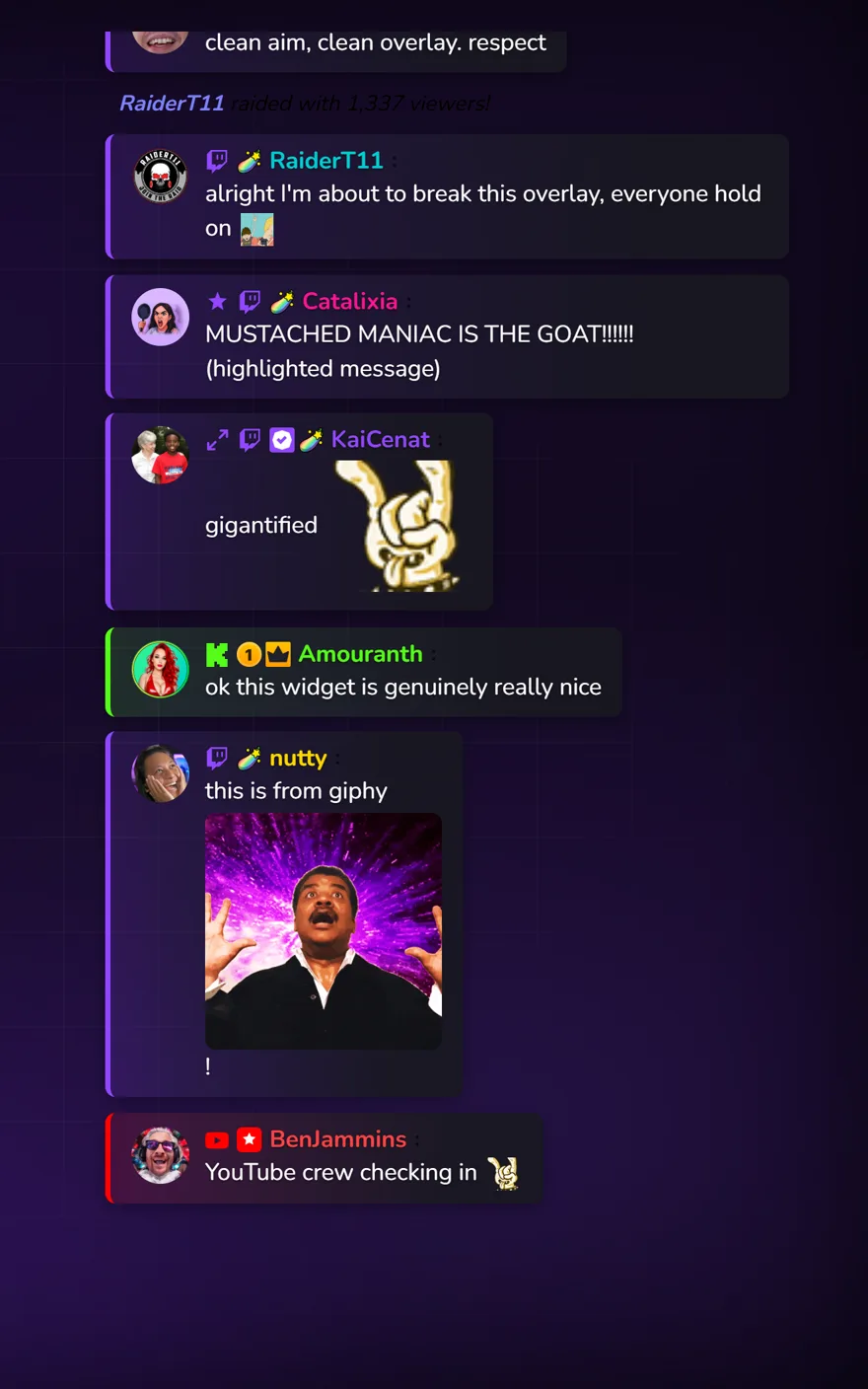
Each message gets a colored left border and subtle gradient matched to its source platform — purple for Twitch, green for Kick, red for YouTube.
Layout Modes
Vertical (Stack)
Messages stack top to bottom — or bottom to top, your call. The newest message appears at the bottom by default, scrolling upward like a traditional chat window. Flip position to top to invert. Each message stretches to your configured max width, making it ideal for a side-panel or corner overlay.
Horizontal
Messages line up side by side in a single continuous strip, sliding in from the edge. New messages appear on the right (or left). Perfect for a slim bar across the bottom of your screen or an IRL camera overlay where vertical space is precious.
Emotes
The widget renders emotes from every major provider out of the box — no browser extension required on your end, and no plugin needed for your viewers. It just works.
| Provider | What's Included |
|---|---|
| Twitch | Native subscriber, channel, and global emotes at the correct size |
| BetterTTV (BTTV) | The legendary third-party library — channel and global emotes |
| 7TV | Full emote support including zero-width overlay emotes, which layer correctly on adjacent emotes |
| FrankerFaceZ (FFZ) | The other classic third-party library, fully supported |
| Emoji | Full Twemoji rendering so every emoji looks consistent across every OS |
GIF Links
Chatters love dropping Tenor and Giphy links. When GIF support is enabled, the widget intercepts those URLs and renders the image inline in the chat feed — no more walls of raw links. Support is off by default and fully role-gated so you stay in control.
Broadcasters and moderators can always post GIFs when the feature is on. For everyone else, you set the floor:
| Role Setting | Who Can Embed GIFs |
|---|---|
all | Everyone in chat |
follower | Followers and above |
sub | Subscribers and above (default when enabled) |
vip | VIPs and above |
Enable GIF links and set the role threshold in the Chat section of the configurator.
More Features Worth Knowing About
Gigantify — When a message contains nothing but emotes (no text), the widget blows them up to a configurable multiple of their normal size. A small expand icon makes it clear to everyone that something giant is happening on purpose.
Message Highlights — Channel point rewards with "highlight" anywhere in their title get an automatic glowing accent-colored card treatment. They pop out of the regular chat flow without any extra configuration.
Celebrations — Confetti rains across the stream overlay on auto-reward events. Entirely optional, entirely delightful, entirely toggleable in the configurator.
Reply Context — When a viewer replies to another message, the widget shows a compact quoted preview above their text so the thread stays readable even without seeing the original.
Timestamps — Optional per-message timestamps in 12 or 24-hour format, shown in a muted style that informs without cluttering.
Bot Filtering — One toggle enables a built-in list of known bots (Nightbot, StreamElements, Moobot, Fossabot, and a few dozen others) so their messages stay out of your overlay without manually blocking each one. Individual bots can be allowlisted back if you still want to see them.
Shared Chat — Merges messages from Shared Chat sessions (cross-stream) into a single feed with per-message platform icons. Optionally filter shared messages out entirely if you'd rather keep things local.
Test Mode — Add ?testMode=true to any widget URL to get a stream of simulated events — chat messages, subs, cheers, raids, all of it — without needing a live stream or Streamer.bot connection. Perfect for tweaking the look before you go live.
Available Events
Every event the widget can handle is listed below, organized by category. Enable or disable any of them individually from the configurator's Events tab.