Ultimate AI Chatbot
This extension integrates a powerful AI chatbot into your live stream, leveraging multiple AI models including OpenAI, Claude, Gemini, Grok, Ollama, and Deepseek. The chatbot can answer questions, engage in conversations, and provide witty interjections to enhance viewer interaction.
Download from Ko-fi
This documentation is a WORK IN PROGRESS. Features and instructions may change as development continues.
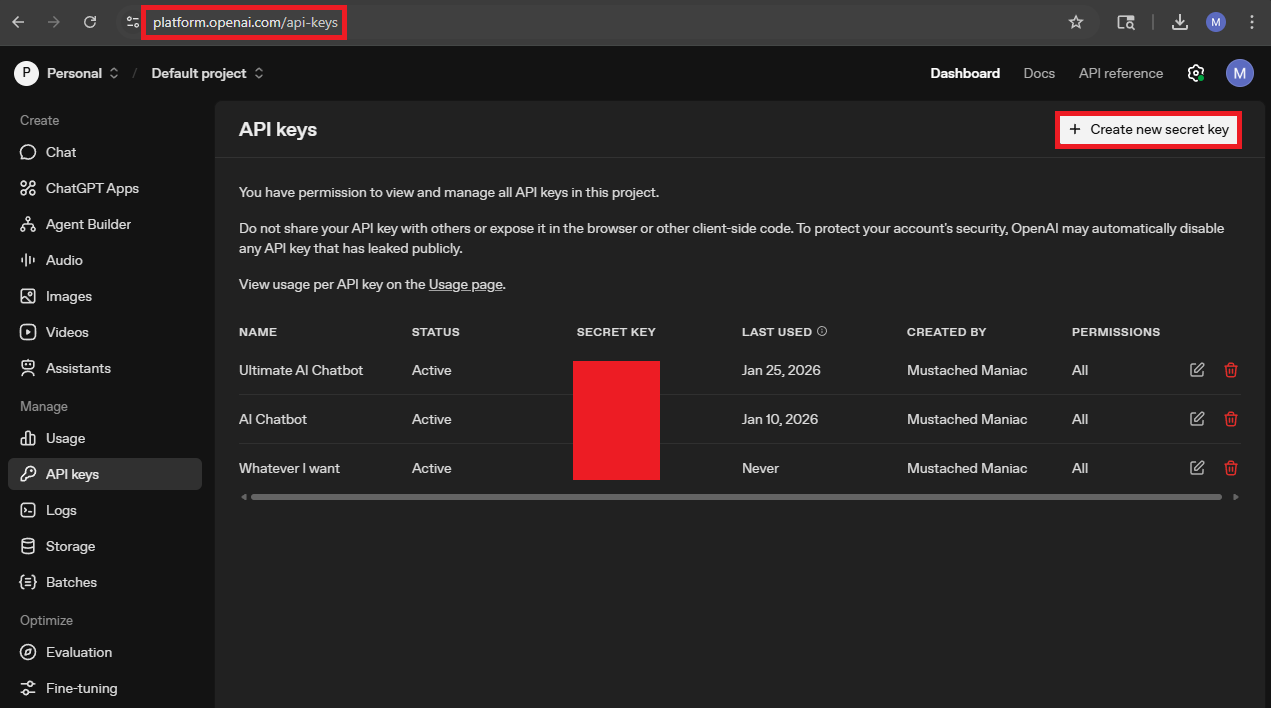
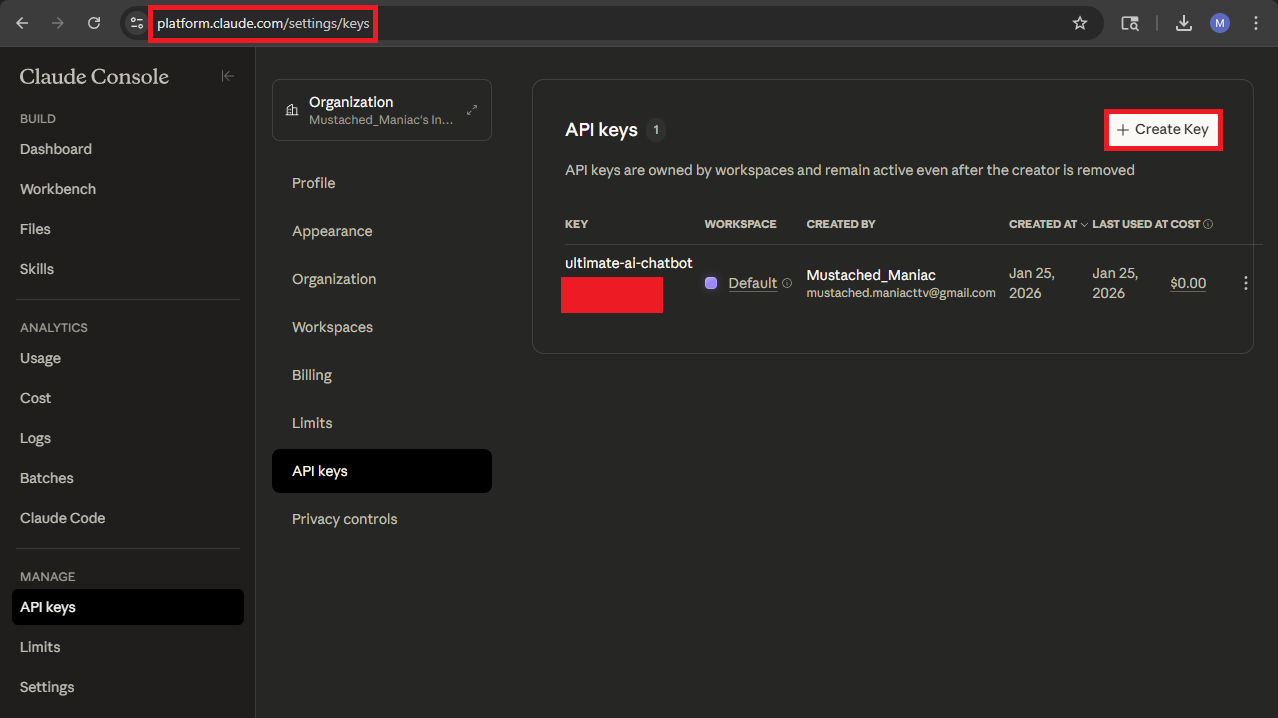
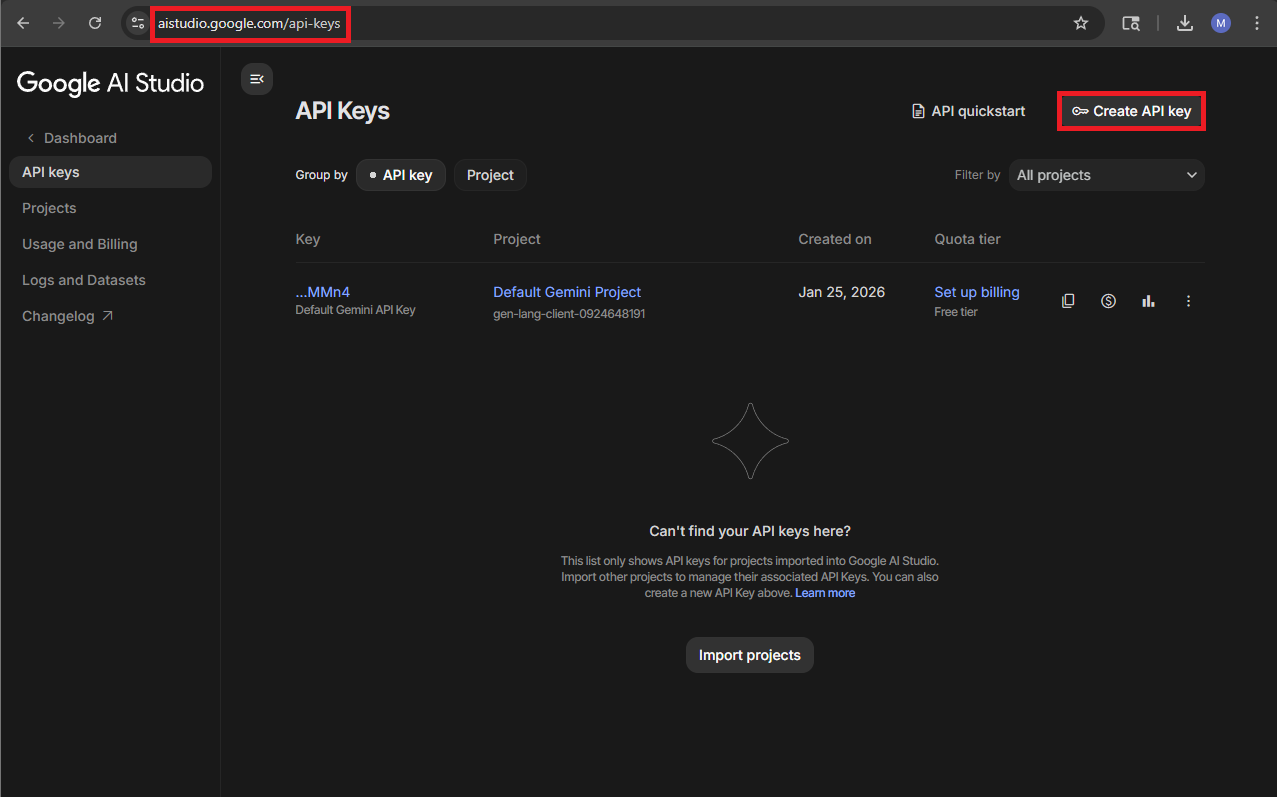
Gathering your API Keys
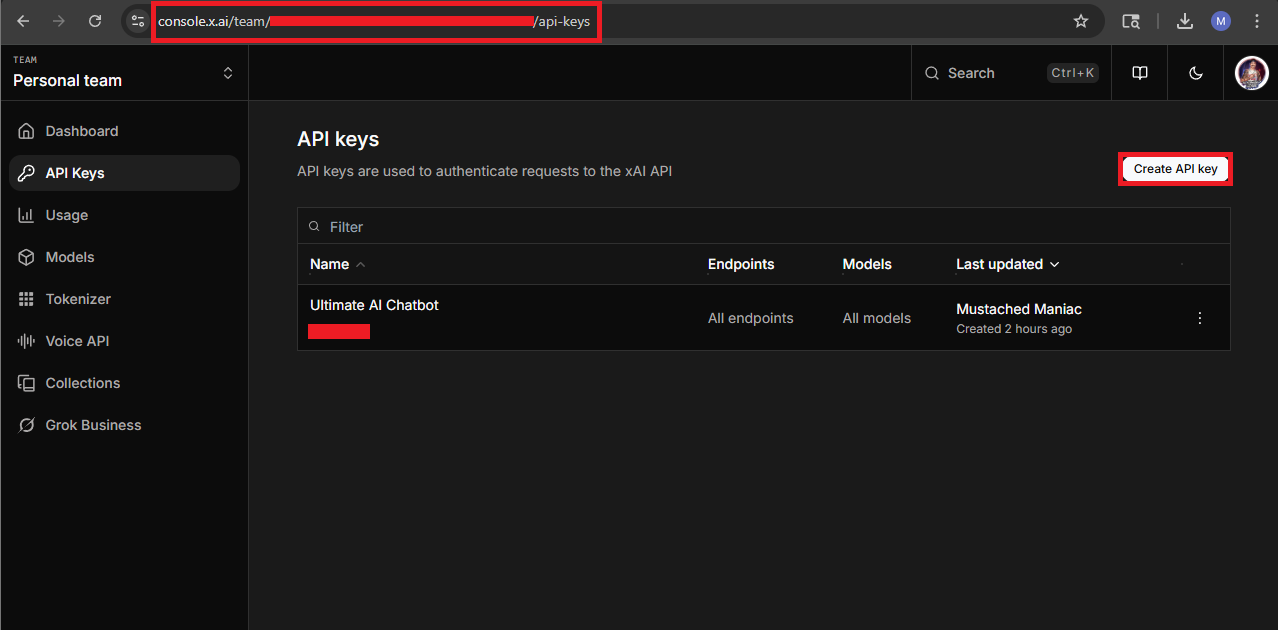
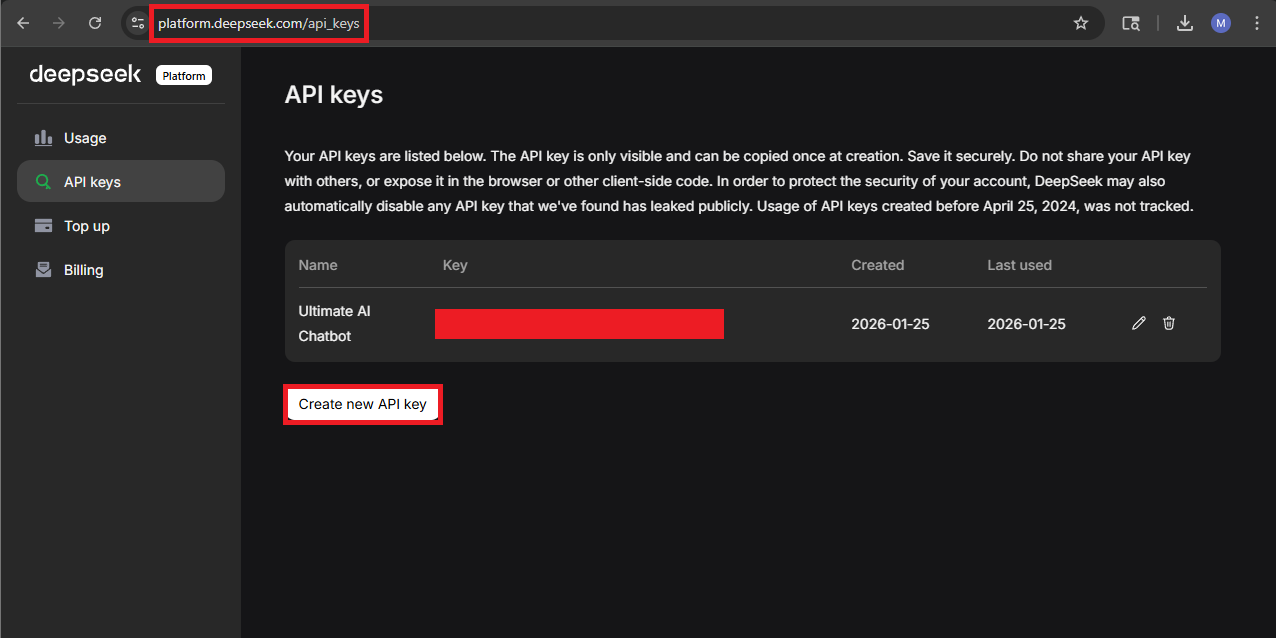
Setting it Up
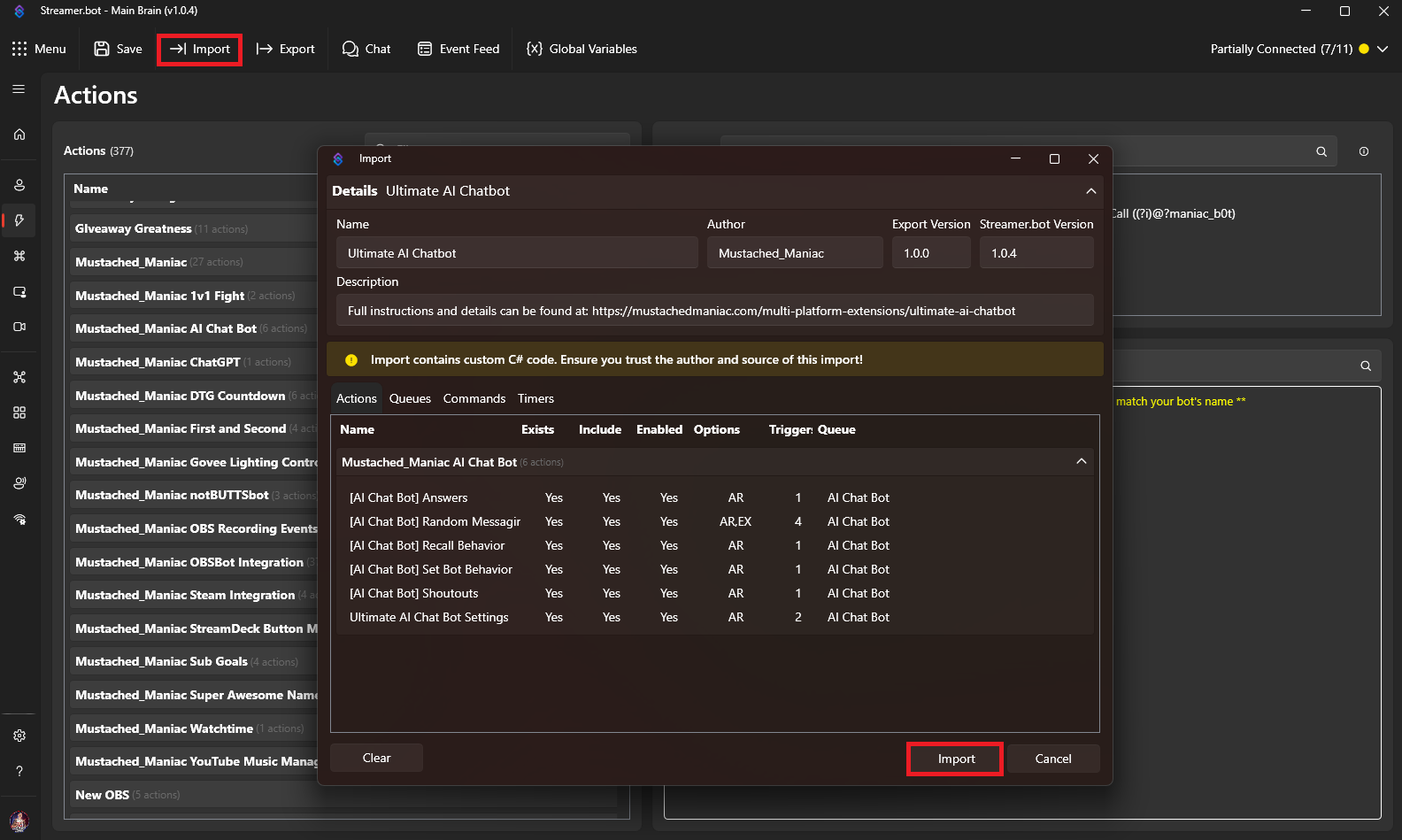
In Streamer.bot click the Import button in the top menu. Drag the downloaded .mm file into the Import String field and click Import. You will see 6 Actions and 2 Commands
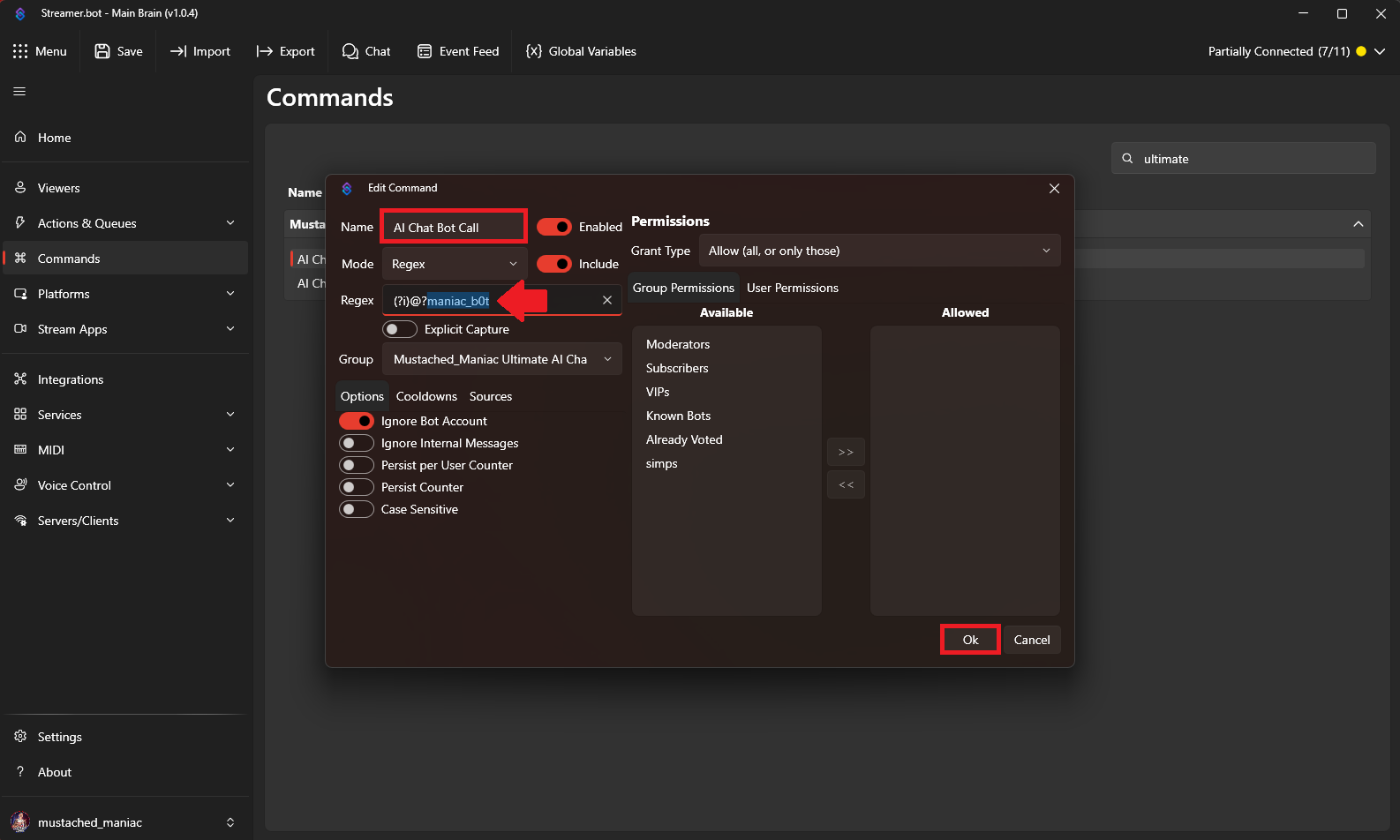
After you import the extension, go to the Commands tab, type ultimate in the search box to filter the commands. You will see two commands, Right-Click on the group name and press Enable.
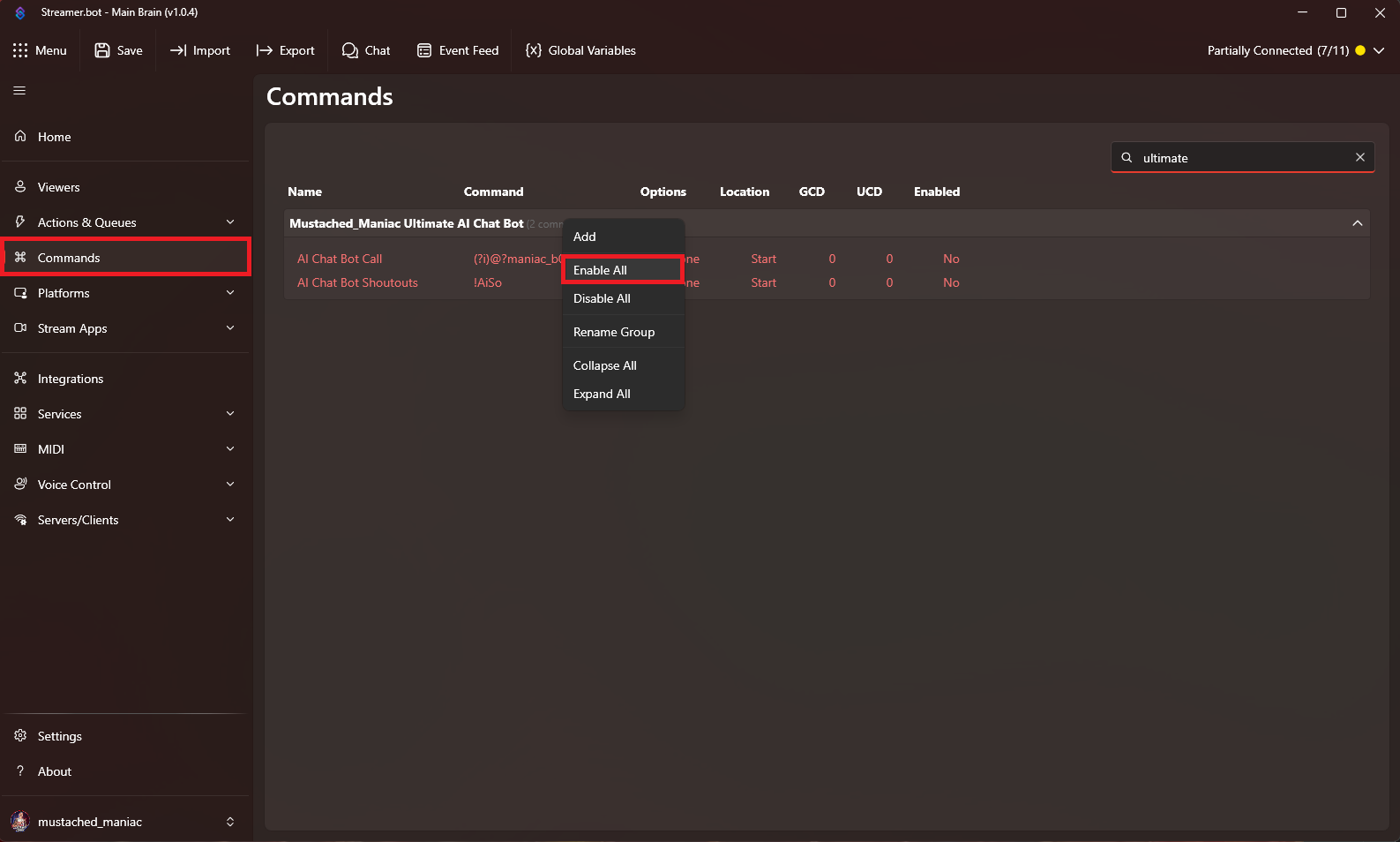
IMPORTANT: You need to edit the maniac_b0t portion of the REGEX to match YOUR bot's name.